Official game reference
Frequently Asked Questions
Search every current rule, or choose one topic and open only the answer you need.
No answers found
Try a shorter search, choose another topic, or clear your search to return to the topic you selected.
Getting started
17 answersWhat can I craft at the beginning?
Apprentice hand Equipment can be equipped from Character Level 2; Apprentice Gathering Tools have no Character Level requirement. Each design starts at Crafting Level 1 and costs 20 Gold, 6 Ore, 4 Wood and 1 Scrap. Crafting initially selects the hand family for your current Class. Higher recipe tiers remain available with their own requirements.
Where is the beginner Boss encounter?
Open Battle on Surface through Character Level 25 and expand Beginner encounter. Defeating the private Burrow Guardian grants 500 Gold, 5 permanent Autos and one Common Chest once. You can retry a defeat after the normal Battle cooldown. Stop Auto and finish Crafting before entering. It does not use your public World Boss final-blow quota.
What is NexusRPG?
NexusRPG is a persistent text-based browser MMORPG. You play directly in a modern web browser and develop your character through combat, equipment, gathering, crafting, quests, achievements, trading, Clans, Kingdoms, Fair PvP and shared Boss encounters.
Do I need to install anything?
No. NexusRPG runs in the browser on desktop, tablet and mobile. Refreshing the page, signing out or changing device does not reset your progression or active timers.
What should I do first?
Read the welcome popup and Choose a path at your first login. It grants one Common level 1 Class set, not a set for every Class. Follow the popup beside each exact control: equip your hand pair and armour, win a safe Battle, inspect the result, spend earned Stat Points and follow Quests, Gathering, Crafting and Map. Action lessons advance automatically after the game verifies success; reading-only explanations use Next. The final help popup reminds you to use /help followed by your question for community help, or /mentor on its own to request a personal Mentor while eligible.
Is my starter Class permanent?
No. Your Main Hand and Off-hand pairing determines the active Class, so you can change it later by equipping another valid pair. The first choice grants a starter set only once. Existing characters keep their equipment.
Do new players receive a beginner Pet?
Yes. Each new account receives one Common Ironback, already hatched but not equipped. After equipping your starter gear, follow the guide to Pets and press Equip on your companion. The guide checks that the starter Pet is actually equipped before advancing. You can skip and resume the guide; skipping leaves the Pet unequipped. Refreshing, resuming or restarting never gives another Pet, even if the original is no longer owned. Existing accounts are not backfilled.
Can I skip or resume the beginner tutorial?
Yes. Choose a path first. Skip this step moves to the next lesson without completing its action or granting rewards. Skip all saves your place and closes the introduction. Both ask for confirmation and explain where to return. If you use Skip all during the equipment lesson, available starter pieces fill empty slots without replacing gear. Open Guide → Guided Walkthrough → Start / Resume guided tour to continue, or Restart guided tour to revisit the lessons. Restarting preserves your character and Quests. Resuming or changing Class never grants another starter set or Pet.
Where can I see Character and Gathering XP?
Your Character XP bar stays visible in the status sidebar. A slim Gathering XP bar directly below it follows the profession from your latest successful Gathering action, including Rift Gathering. Select a Mining, Woodcutting, Hunting or Herbalism icon to inspect another profession; your next Gathering action brings the bar back to the active profession. The bars show progress toward the next level, not lifetime XP.
How do I start and stop Auto?
Choose an activity and press Auto to repeat it. Normal Auto uses one remaining Auto per completed action. It continues while you are away until you press Stop, run out of Autos or the activity can no longer continue. Stop keeps unused Autos; an already-paid Craft finishes. Auto does not remove normal requirements or Crafting material and Gold costs.
What do remaining and maximum Autos mean?
Remaining Autos are the actions you can still use. Maximum Autos are your refillable capacity. For example, 20 / 100 means 20 actions remain and you can refill up to 100. Using Autos reduces the remaining balance, not your maximum capacity. A larger maximum lets Auto run longer between refills.
How does free Auto Renew work?
Press Renew in the Actions bar for a partial refill, or Fill Autos to replenish the available maximum in one click. Renew is free and can be pressed repeatedly; both options retain your capacity and do not restart the action timer. At Commoner rank, each partial Renew restores 5% of your maximum Autos, rounded up and limited to the missing amount. With a maximum of 100, that is up to 5 Autos per click. Higher Supporter Ranks refill a larger percentage; Renew shows the exact amount. Starting Auto with an empty balance performs one partial Renew, but running Auto does not refill itself continuously.
How do I increase my maximum Autos?
Earn permanent Auto capacity from Quests, Achievements, World Chests and Dungeon loot. Previously launched Pet Expeditions keep any frozen Auto reward, increasing both permanent capacity and the ready balance; new chosen-activity Pet Expeditions do not grant Autos. Normal-monster victories and successful Gathering each have an extremely rare 1-in-20,000 chance to grant +1 permanent and +1 ready Auto while your base maximum is below 500, before Supporter Rank bonuses. This 500 threshold applies only to these random finds, not your overall Auto maximum. Shop Permanent Auto upgrades and selected bundles also add permanent capacity. Your current Supporter Rank adds a percentage of all that permanent capacity, rounded down to whole Autos: Commoner +0% through Emperor +100%. Emperor turns 1,000 permanent Autos into a 2,000 maximum; earlier Ranks do not stack. Changing Rank alone does not refill remaining Autos. Auto Renew is separate: it only refills your existing capacity and never raises that maximum.
What is Recommended Next Action?
It is an optional compact suggestion based on your real character progress, such as accepting the first contract, equipping a weapon or trying Gathering. You may dismiss it, and completing real activities moves the recommendation forward without creating a separate checklist or Quest.
Do equipment recipes require a crafting level?
Yes. Each recipe requires its main Crafting discipline plus the displayed shared support skills. Metalworking, Leatherworking, Woodworking and Gemworking connect related equipment categories, while equipment recipes from Level 500 onward also require Runeworking. Crafting shows every requirement before work begins.
Can refreshing change an outcome?
No. Combat outcomes, drops, costs, rewards, cooldowns, purchases, inventory and construction continue from the recorded game state. A visible countdown only helps you follow that progress.
Can I play comfortably on a phone?
Yes. The game uses compact navigation, mobile sheets for chat and side panels, touch-sized actions, safe-area spacing and layouts that avoid horizontal page overflow. Wide data regions use contained scrolling where necessary.
Character, Classes and Stat Points
19 answersWhere is my Class ability?
A complete Class gains its own automatic signature ability from Character Level 1. Battle and Character → Character Build show its name, current PvE damage bonus and only the next upgrade level. Each rank adds five percentage points. It follows your equipped Class and works in manual Battle, Auto, Rage, Bosses and Dungeons without an extra button, mana or equipment slot. It does not boost Pet attacks or PvP. Upgrades continue as your Character Level grows; the next required level is always shown.
How do levels and experience work?
Battles, Gathering and other progression events award experience. The normal next-level requirement applies through Level 999, then uses a 3× multiplier from Level 1,000, 5× from Level 2,000, 7× from Level 3,000 and two more multiplier points after every further 1,000 Levels. These multipliers are not compounded. A real level-up no longer raises random combat stats automatically; it awards 1–5 Stat Points instead. Each personal five-level reward block contains 1, 2, 3, 4 and 5 once, for exactly 15 points and a long-term average of 3.
What are the main character stats?
Maximum Health determines survivability; Power drives normal damage; Defence reduces incoming damage; Accuracy and Speed influence reliable actions; Critical and Luck are ratings converted through capped, diminishing-return formulas. Raw rating is not a direct percentage. Strength, Dexterity, Intelligence, Vitality, Luck, Explorer and Gatherer are allocated attributes that feed these outcomes.
How do I spend and reset Stat Points?
Open Character Build and invest 1, 10, 100 or 1,000 available points at a time. Strength supports physical Power, Dexterity Accuracy/Speed/Critical, Intelligence magical Power plus general warding/Accuracy/Luck, Vitality Health/Defence, Luck rare PvE results, Explorer adventure/travel rewards and Gatherer production. More than 100 unused points creates a clickable warning under Class. Your first complete reset is free. Existing players who already used it receive one optional free balance reset; no build resets automatically. Later resets show and confirm their level- and allocation-based Gold cost.
Which Classes exist?
Your equipped Main Hand and Off-hand determine your Class:

Warrior — Blade + Shield · Vanguard adds Defence and Accuracy, and converts 7.5% of pre-percentage Core Defence into Power.
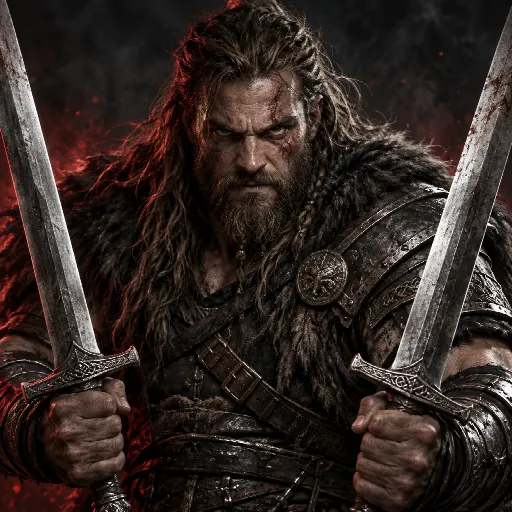
Berserker — Blade + Blade · Frenzy adds Power and Speed.

Duelist — Blade + Dagger · Riposte adds Power, Accuracy and Speed.

Mage — Wand + Orb · Spell Ward adds Power and Defence.

Sorcerer — Wand + Wand · Arcane Surge adds Power and Critical.

Amazon — Bow + Quiver · Marksman adds Accuracy and Speed, and converts 15% of pre-percentage Core Accuracy into Power.

Paladin — Shield + Shield · Bulwark adds maximum Health and Defence.

Assassin — Dagger + Dagger · Ambush adds Speed and Critical.
Open the Classes section in the Guide for a separate, complete stat-by-stat page for each Class.
How do primary attributes scale for every Class?
Open the Classes section in the Guide and choose a Class tab to see what every Stat does for that exact build.
The flat values below are retained. Combat attributes also add bounded Class-specific scaling to base stats plus compatible equipment; each Class tab lists the exact scaling caps.
Warrior — Strength: +5 Power/+1 Defence. Vitality: +20 Health/+3 Defence.
Berserker — Strength: +6 Power/+1 Defence. Dexterity: +2 Accuracy/+3 Speed/+2 Critical.
Duelist — Strength: +5 Power/+1 Defence. Dexterity: +2 Power/+3 Accuracy/+3 Speed/+2 Critical.
Mage — Intelligence: +5 Power/+2 Defence/+2 Accuracy/+1 Luck.
Sorcerer — Intelligence: +6 Power/+1 Defence/+2 Accuracy/+1 Critical/+1 Luck.
Amazon — Dexterity: +4 Power/+3 Accuracy/+2 Speed/+1 Critical.
Assassin — Dexterity: +3 Power/+2 Accuracy/+4 Speed/+3 Critical.
Paladin — converts 0.5% of Core Health plus 10% of Core Defence into Power, so Vitality and defensive Equipment also provide offensive value.
What happens with an incomplete or invalid hand pair?
The character becomes an Adventurer. A usable lone Blade, Dagger or Shield can still contribute, but incompatible hand items are ignored; unsupported pairs such as Bow + Sword or Wand + Sword do not combine both stat budgets. A Bow requires its Quiver, and two Bows cannot be equipped as a valid Class pair. Other equipped slots continue to work normally.
How do attributes keep helping after equipment gets stronger?
Each combat attribute keeps its flat bonuses and also strengthens base stats plus compatible equipment before Core. For an attribute with a 50% Class cap, its contribution is 50 × points ÷ (points + 500) percent: 500 points gives 25%, and 1,000 gives about 33.33%. Different attributes targeting one stat share a bounded remaining budget instead of multiplying unlimited bonuses. The Guide’s Classes tabs show every cap. Investing more never reduces another stat; Explorer and Gatherer keep their separate utility curves.
What exactly does Luck improve?
Luck is a broad PvE RNG rating with diminishing returns. It improves equipment drops and quality, rare Gathering finds, Quest rarity, Pet Egg drops, Essence, Blueprints, Dungeon Key and World Chest discoveries, and eligible player-triggered World Boss spawns. Allocated Luck also adds 20 × points ÷ (points + 1,000) percent to eligible rare-outcome/equipment-find modifiers, capped below 20%; 1,000 points gives +10%. Fortune adds another 0.10% per Skill Level, up to 10%, alongside its separate raw Luck training. These modifiers are added once, not repeatedly multiplied. Equipment drops retain their final 3% cap, fixed-rarity Shop items stay fixed, and Luck never guarantees a rare result or improves Battle Skill breakthroughs.
How are effective PvE stats calculated?
Base stats and compatible equipment receive flat attribute bonuses plus bounded Class-specific attribute scaling before Class conversion forms Core. Ordinary percentage sources, including an equipped Pet, are added into one pool and applied once to Core. Battle Skill training is a separate final multiplier: 0.20% per Skill Level, capped at 20% for its named stats. Effective Stat Breakdown separates these sources. Contextual PvE, Elite, Boss, World Boss and Clan Boss damage modifiers remain separate so they cannot be counted twice.
Why does Fortitude matter even with a large Health bonus?
Fortitude adds 0.20% training to maximum Health and Defence per level, up to 20% at Level 100. Training multiplies the result after the ordinary percentage pool instead of being diluted inside it. With everything else unchanged and below the final stat cap, going from Fortitude 10 to 69 changes the multiplier from 1.020 to 1.138: about 11.57% more maximum Health and Defence. Your existing Skill Levels stay intact.
Does Haste make Auto attack faster?
No. Haste adds 0.20% combat Speed per level, up to 20%, through the separate training multiplier. Speed supports evasion against enemy Accuracy, initiative and the bounded chance of an extra attack inside a battle. It does not shorten the two-second manual cooldown or normal five-second Auto interval. A harder, faster opponent can still reduce your relative advantage.
What is Fair PvP?
Fair PvP uses the complete earned build: active equipment and its Upgrade Levels, attributes, Class effects, Pets, Battle Skills, Titles, Supporter Rank, Clan and Kingdom bonuses, Ascendant progression, food and other temporary earned effects. Only direct purchased Shop combat-stat percentages are removed. Explicitly PvE-only contextual damage still applies only to its named PvE target.
How do Battle Skills level up?
Choose one active Battle Skill in the compact box above Quest. Every positive normal gameplay XP award gives that selected Skill one independent breakthrough roll, while the complete XP reward still goes to your character level. Foundation Levels 1–25 remain approachable without being instant, progress slows substantially through Momentum and Veteran training, and Levels 75–100 form the long Mastery climb. The compact Skill panel shows the exact current chance. An equipped Pet improves that chance by its displayed relative percentage, and a World Boss or Clan Boss final blow grants one separate level-scaled roll. Any success grants exactly one level plus a personal System chat message. Luck does not affect Battle Skill rolls, and there is no XP ratio to configure.
What is the difference between Shop Rank, Special Rank Badge and Character Title?
Shop Rank is determined automatically from verified purchases and appears before your name. Staff identity such as Owner or Admin replaces that badge. A Special Rank Badge is optional staff-granted recognition. One earned Character Title appears after your name and grants the exact small bonus shown in Settings; Clan Chat instead shows Clan role and omits public Titles.
Can I equip a character title?
Yes. Open Settings → Titles. You may activate one Achievement Title or owner-created Special Title that this Character earned or received. Each card shows its exact bonus and the page shows when another change is available. Shop Rank remains automatic and separate.
Can I change my player name?
Yes. Shop → Rename can update the account and character display name together for 250 Credits. The new name must be unique and use the supported name characters. A custom colour is optional, and the purchase does not change email, progression, inventory or permissions.
What are special achievement titles?
Major milestones unlock titles such as Worldbreaker, Clan Executioner, Clan Vanguard and The Cataclysm. A Clan Boss final blow counts only toward Clan Boss achievements, not normal World Boss milestones.
What are Ascendant Paths?
At the displayed endgame requirements you may activate one optional Path: Slayer, Bulwark, Planewalker, Grand Artisan or Sovereign. Each has a narrow allow-listed benefit and an explicit opportunity cost. The first choice costs 250,000 Gold and 5 Essence; switching costs 750,000 Gold and 15 Essence with a seven-day cooldown. Each Path then has 15 optional ranks. Rank L costs 600,000 × L² Gold, while Essence starts at 4 and rises by 1 after every three ranks. The complete ladder costs 744,000,000 Gold and 90 Essence. Reset returns 50% of the exact stored investment, so older purchases retain their historical price. Deactivation has a 24-hour cooldown. Earned combat-stat effects count in Fair PvP; activity-specific effects still apply only in their named context.
Battle, PvP and Bosses
44 answersHow do Pet Wagers work?
Open PvP → Wagers and choose Pet combat. Select an eligible hatched Pet, preview its combat stats, set the maximum opposing Pet Level and choose the exact Gold, Credits or material stake. The challenger selects their own eligible Pet and confirms the matching stake. The winner receives the pot; Pets are never the prize and always stay with their owners. Pet fights do not award Character rating or XP. The creator’s Pet is reserved and its stats are fixed while the listing remains open; the challenger’s stats are fixed when accepting. A winning creator keeps the listing open, while cancellation releases its Pet and stake. Working, borrowed, listed, reserved and Profession Pets cannot enter. Character Wagers remain rated.
How do Rifts work?
A Rift opens for 10–60 minutes. Normal and Clan Rifts share a random spawn delay of 1–23 hours, reset whenever a Rift opens, including staff-started events. Only one Rift can be active; an elapsed timer waits until closure and scheduled staff events take priority. Click HERE in the highlighted Global announcement or use the temporary Rift box. No travel, Plane unlock or Resource Site is required.
Choose Attack, Mine, Woodcut, Hunt, Herbalism or Pet workout on the Rift page. Confirm carefully: your activity is locked for this Rift. Back to activities stops Rift Auto but does not unlock another activity or reset scores or cooldowns. Finish pending Crafting and stop another Auto before entering.
Manual resolves immediately with a shared two-second cooldown. Auto uses your normal balance and Renew; active Blood Frenzy still accelerates it. Rift has no Rage button. Auto stops at closure. Live standings stay hidden; you can see how many others are participating. Final results appear after settlement.
What bonuses and prizes can a Rift give?
Two of the six activities are featured. Featured Attack/Gathering grants +100% XP and yield; other Attack/Gathering activities grant +20%. Featured Pet Workout grants +300% Pet XP instead of its usual +200%. Attack ranks highest total damage. Gathering ranks resources before Clan contributions. Normal Clan contributions apply, but local Kingdom tax, facilities, Plane and disaster bonuses do not. At least ten completed actions in your locked activity qualify you for prizes; ties within an activity favour the first to reach the total.
In a personal Rift, each featured activity winner receives two Chests; one of these winners is randomly chosen for a Mythic equipment item. Each other activity winner receives one Chest; one of these winners is randomly chosen for a Legendary item. Pet Workout follows these same prize tiers. Chest odds are Rare 70%, Superior 25%, Epic 5%. Equipment uses the winner’s level and normal design eligibility: Nexus requires Level 3,000, and crafting-exclusive designs never drop.
Every qualifying participant also receives one random reward: 5 permanent and ready Autos, 5 Credits, 1 Essence or 1,000 Scraps. Each completed Rift Attack counts once toward Most Battles Today; each Rift Mining, Woodcutting, Hunting or Herbalism action counts once toward Most Gatherings Today, regardless of damage or quantity. Pet Workout counts toward neither board. Rift victories count toward general Battle Contracts, eligible Quest and Achievement objectives, combat statistics and Monster Kills rankings. Successful Rift Gathering counts toward general Gathering Contracts and eligible profession objectives, using the saved action or resource target. Rift actions do not spend weekly Boss kills or satisfy objectives requiring a specific Plane, Resource Site, monster or Boss. Already-open older Rifts retain their published prize rules.
How do Clan Rifts differ?
Automatic spawns are 5% Dungeon Rift, 76% personal and 19% Clan, retaining the 80/20 split among ordinary Rifts. Clan Rifts total participating members’ results in each activity. Winning a featured group, including featured Pet Workout, earns the Clan 3 points; another group earns 1 point. Your Clan at entry is saved for this event; changing Clan cannot move its earned results.
The Clan with most points receives one Mythic Armory item and one Chest for each qualifying participant. Tied first-place Clans each receive that first-place package. Other Clans that win at least one activity receive one Legendary Armory item per Clan and one Chest per qualifying participant, even if they won multiple groups. The Armory must have room: a full Armory loses the incoming item. Participation requires ten completed actions in the chosen activity.
What is Pet workout in a Rift?
Pet Workout grants +200% Pet XP normally, or +300% when featured: three or four times its ordinary training basis, not an additional stacked multiplier. It scores Pet XP earned. Base workout XP is capped at 3% of the Pet’s next-level requirement per action, or 4% when featured. In a personal Rift its qualifying winner receives one Chest normally or two when featured, and is eligible for the matching Legendary or Mythic equipment draw. In a Clan Rift it earns 1 point normally or 3 when featured. Choose it with an eligible equipped Pet and confirm the event-long activity lock. Manual, Auto and Renew are available. It awards no Character XP, Gold or resources. Previously opened or scheduled Rifts retain their saved rules.
What is the rare Dungeon Rift?
Dungeon Rift is a separate rare event, not the smaller Dungeon inside a Personal or Clan Rift. Automatic openings have a 5% chance of this mode, with a one-hour duration. Staff can also start or schedule it for 10–60 minutes. Enter its red card from anywhere, without a Key or Clan. New shared labyrinths have independently random width and height from 10–100 tiles, a safe entrance and 15–50 monsters per regular combat or Chest tile. Chests occupy about 8% of the tiles and Boss-guarded Grand Chests about 2%. Opened Dungeons retain their frozen layout, guard counts and loot. Each actual monster or Boss kill counts once, including multi-monster Dungeoneering encounters; damage without a kill and losses do not score. Highest kills at closing wins one level-matched Legendary Equipment item; equal totals favour the first to reach that total, then the earliest entry. If the winner belongs to a Clan at closing, that Clan receives one Legendary level-1 Adult Pet, provided its Pet Sanctuary has space. Missing or full storage loses that Pet with a Clan System explanation; it does not remove the winner’s Equipment. Monsters pay no Gold or Character XP, but normal Dungeoneering training and Chest loot apply. The final killer owns each Chest. Manual and ordinary Auto remain available, including active Blood Frenzy; no Rage. Scores stay hidden until closing except your own kills and participant counts. All rewards are issued once, and unclaimed Chests disappear at closure.
What is the Weekly Tournament?
Weekly Tournament is the first Arena card, alongside Last Stand, Clan Last Stand and Pet Last Stand. Staff chooses Team PvP, Mining, Woodcutting, Hunting or Herbalism and publishes entry requirements and rewards. Registration opens, registration closes and tournament starts are separate times in game time; the card has separate countdowns. Join or change teams before registration closes. Player-created numbered teams are available only when staff explicitly enables them, and the displayed capacity is per team. Zero in an admin limit means no limit set for that field, subject to the overall 256-participant safety limit. Cancelled events disappear from the current-event card. Last Champions keeps the most recent winning team and its members.
How are Weekly Tournament results and rewards decided?
New tournaments run automatically in the arena even while entrants are offline. Team PvP freezes genuine PvP builds at the start and resolves team elimination without spending normal Health, Autos or rating; winners retain tournament Health. Mining, Woodcutting, Hunting and Herbalism use frozen profession Level, matching equipped Tool and permanent yield bonuses, excluding temporary or purchased boosts. Each match compares five simulated collection rounds; higher total wins, with seeded tie-breaking. These simulations grant no normal resources, XP or actions. Winning members receive the winner package instead of the participation package, not both; eligible non-winners receive the participation package. Rewards are delivered once and pending delivery remains recoverable. Existing older activity events keep their published rules. Weekly Tournaments are independent of both monthly Last Stand events.
How do I join or create a Weekly Tournament team?
Open Arena → Weekly Tournament → Teams, rules & registration while registration is open. Choose an existing team and press Join team. Teams marked Password required open a private password popup; ask a teammate for the code. If staff has enabled player-created teams, the separate Create your own team button lets you choose an available number, an optional name and an optional password. Leave the password blank for an open team. Never reuse your account password. Creating a team also joins it; leave your current team before switching, and make changes before registration closes.
Where can I compare Arena championship wins?
Open Rankings → Arena. Last Stand Wins ranks individual champions, Weekly Tournament Wins counts one win for each qualifying member of the winning team, and Clan Last Stand Wins ranks winning Clans. Only completed tournaments count, not individual duels, cancelled events or unfinished results. Equal totals use a stable ID order.
When does Attack or Auto resolve a Battle?
Attack resolves one Battle immediately, followed by a two-second server cooldown. Auto resolves its first Battle immediately, then normal Auto repeats every five seconds; Rage and Blood Frenzy use two-second cycles with their existing costs. Stop or switching combat modes never removes the shared cooldown. The compact Battling result shows damage dealt and taken, hits and Victory, Defeat or Draw. Auto keeps this result visible until Stop; manual Battle returns to selection after the cooldown.
How does normal Battle work?
Choose one of the 60 monsters on your current Plane from the compact dropdown and attack. Each Plane spans Levels 1–22,000, so Surface remains a complete progression path without a paid key; unlocked Planes retain stronger identities and reward boosts. The Battle preview shows hit chance per strike, not your chance to win. Your Accuracy opposes the enemy’s Speed, and enemy Accuracy opposes your Speed. Damage, Health, Critical, extra attacks and other effects also decide the fight. Your location, cooldown and target must be eligible before the turn-by-turn battle begins.
What do Monster modifiers do?
Armoured, Swift, Accurate, Brutal, Regenerating, Lucky, Critical, Berserking, Fortified and Cursed use one versioned ruleset. The Battle preview explains the exact stat tradeoff before attack. Regenerating restores 3% maximum Health every third round, while Berserking gains 1% Power per round after the first up to 25%; every trigger is written into the Combat Log without changing unrelated combat rolls.
What is Bestiary Mastery?
Only verified victories update a monster entry. Mastery tiers are Discovered at 1 kill, Studied at 10, Hunter at 100, Specialist at 500, Master at 1,000 and Nemesis at 10,000. Entries also preserve verified encounter/modifier discoveries and best results. Plane and monster-family completion are derived from those verified records; V1 is prestige, lore and presentation rather than combat power.
What does Combat analysis explain?
After a loss or Draw, Why you lost separates the attacks, hits, misses, Criticals, extra attacks, damage, rounds and initiative that occurred from the hit, Critical and Defence chances expected from both builds. Wins can open the same analysis. It describes likely weaknesses conservatively and never promises that one stat increase guarantees victory. Older PvP records show only the facts available from those battles.
Why do Critical, Defence and Speed depend on the opponent?
Ratings are not universal percentages. Accuracy opposes enemy Speed, not Defence, for hit chance within the existing 10–95% limits. Critical chance is 50 × your Critical ÷ (your Critical + max(100, enemy Defence ÷ 4)) percent. Defence reduction is 75 × your Defence ÷ (your Defence + max(250, attacking Power ÷ 4)) percent. Extra-attack chance is 35 × positive Speed advantage ÷ (that advantage + max(100, enemy Speed)) percent. The existing 50%, 75% and 35% caps remain. Character-sheet chances use a reference opponent, while Combat analysis uses the real encounter. Older stored PvP battles retain their historical rules.
What do Ferocity and Resolve do?
Ferocity raises the Critical-hit damage multiplier by 0.15 percentage points per Skill Level, from the normal 150% up to 165% at Level 100; it never raises Critical chance. Resolve reduces incoming damage by 0.10% per Skill Level only while current Health is at or below 35%, up to 10% at Level 100. Both are earned Battle Skills, stay within their stated limits and count in Fair PvP.
What are Autos?
Autos repeat an eligible Battle, Gathering, Crafting or Dungeon action without bypassing location checks or requirements. A completed Auto has a 1-in-1,000 chance to ignite 25–100 free two-second Blood Frenzy actions. Rage uses 5% of maximum Autos per action and raises that chance to 1 in 250. Permanent Auto capacity can be bought in quantities of 1, 5, 10 or 50. The first ten Shop Autos cost 1 Credit each, then the unit price rises by 1 Credit after each ten purchased Autos.
What is pausable Blood Frenzy?
Timed bundle boosts start immediately after verified payment, run while offline and cannot be paused. Only Pausable Blood Frenzy can be saved. Pausable Blood Frenzy comes from listed Shop purchases and community grants. It is stored separately from naturally triggered Blood Frenzy, consumes no normal Autos and always arrives paused. Open Bonuses to enable or pause it. Pausing preserves the exact remaining balance; a natural Frenzy is still automatic and is used before the purchased balance.
What happens to Autos while I am away?
Your finite Auto continues at its normal action interval. Returning does not create an instant catch-up screen or extra reward; the queue works through overdue turns safely. Actions shows one compact While You Were Away summary with Autos used, outcomes, rewards, notable drops, Boss contribution and the stop reason. Moving within the current Plane keeps Auto running, while changing Plane stops it.
What happens when a Battle is a Draw?
A Battle ends in a Draw after 100 rounds if neither side falls. A normal Draw gives no XP, Gold, item or Quest progress, fully restores the character, consumes one Auto when applicable and retries the same monster after the normal interval.
When do automatic World Bosses spawn?
After each automatic system World Boss, the next spawn time is rolled independently from one second to twelve hours and stored so a restart cannot reroll it. Separately, every eligible completed Battle, Gathering or Crafting action makes its own 1-in-15,000 player-triggered roll. Player-triggered, Clan and staff spawns never change the automatic timer.
What happens during a World Boss battle?
A public World Boss has shared Health. Successful attacks add to your contribution, and the final blow defeats the Boss. Select its red name in Chat, World Bosses or People Here to open the exact encounter. The final hitter always receives one Chest and one extra rarity roll. Other participants follow contribution: below 5% gives none, 5% gives a 5% chance, 10% gives a 10% chance, and 25% gives a 50% chance. Higher Boss Levels progressively improve Chest rarity without guaranteeing a result. Top damage adds one extra rarity roll after qualification. One player holding both roles receives exactly two extra rarity rolls. Every earned Godly Boss Chest has a separate 50% chance to grant one independently rolled bonus Chest. The final hitter receives the listed signature resource, if that Boss has one, and a separate 1% Trinket chance. Named Trinket rarities apply only if it drops. Godly improves signature quantity and Trinket rarity, not the 1% drop chance. Current public encounters give no direct Gold, XP, Credits, Eggs or Essence; opening the Chests makes their own separate reward rolls. A Character begins with three public final blows per weekly window; Covenant of Five permanently raises that Character to five. At the displayed limit, public Bosses remain inspectable while Attack, Auto and Rage stay locked until reset. Clan Bosses ignore this limit.
How do World Chests work?
Press Chests beside Raffle tickets below your Character Name (open Status on a phone) to open the Chest inventory popup with exact rarity balances. Open consumes one Chest and displays the exact rewards you found in the same popup; rewards are delivered immediately. Closing and reopening preserves the last result. Open another Chest directly; no Continue step is needed. Recent openings also keep their reward summaries. Common begins with 1–2 random rewards and every rarity adds another possible reward, up to 1–11 at Divine. Essence has a separate rare roll—5% at Common, 7.5% Uncommon, 10% Rare, 12.5% Superior, 15% Epic, 20% Legendary, 25% Mythic, 30% Ancient, 40% Celestial and 50% Divine—and awards 1–5 according to rarity without consuming a random reward slot. A Chest cannot repeat the same reward category, while Ore, Wood, Meat and Herbs are separate categories. Rewards may include Equipment at the Chest rarity, Personal or Clan Keys, Credits, Autos, Gold, core and rare resources, Pets, timed boosts, one Battle Skill level, progress in one or more Crafting skills, or a bounded reduction to both active Contracts.
How do I collect a Chest that appears on the Map?
Global chat announces its coordinates. Walk or teleport onto that tile to automatically collect the unopened Chest; the first arriving player receives it and a private Drops message. Press Chests beside Raffle tickets below your Character Name; on a phone, open Status first. One new Chest spawns after each independently rolled 1-second to 12-hour delay across all five Planes. Older unclaimed Chests remain until collected. Higher rarities are progressively rarer. Normal Plane access, terrain items and teleport requirements still apply; seeing the announcement does not unlock the destination.
How do World Chest resource rewards scale?
Ore follows permanent Mining, Wood follows Woodcutting, Meat follows Hunting and Herbs follow Herbalism. A reward uses a bounded roll of unboosted skill-reference actions—not your current boosted Gather yield.
Common — 25–50 reference actions.
Uncommon — 35–65 reference actions.
Rare — 50–90 reference actions.
Superior — 70–120 reference actions.
Epic — 95–160 reference actions.
Legendary — 125–210 reference actions.
Mythic — 160–260 reference actions.
Ancient — 200–320 reference actions.
Celestial — 250–400 reference actions.
Divine — 300–500 reference actions.
The reference uses the richest authored profession tier allowed by that Skill Level and the skill-only yield curve, capped at 690 units per reference action. Current Tools, allocated points, location, Clan, taxes and temporary boosts do not multiply it. The rolled amount and its reference are saved once with the opening receipt; retrying cannot reroll them. Chests award no Gathering XP or action credit. Essence, rare resources and Dungeon Chests keep their separate rules.
How does a Clan Boss differ?
A permitted Clan member selects a Boss level up to the current Clan Level. The Clan pays the displayed Gold, Ore, Wood and level-scaled Clan Credit cost for a private 24-hour encounter. Every member of that Clan can attack from any Plane without travelling or buying a Shop rank; non-members cannot attack. Normal action timers still apply. The normal summon allowance resets Sunday 23:59 Europe/Copenhagen. Public World Boss travel and weekly limits are unchanged.
What are Clan Boss rewards?
New Clan Boss victories independently roll Gold, Clan Credits, Ore and Wood between their exact summon cost and twice that cost. Meat and Herbs are additional independent rewards using the same base as Ore, with no extra summon cost. Clan XP is rolled separately: at the maximum Boss level, its range is half the current Clan Level requirement through the combined XP requirements of that level and the next. Lower Boss levels multiply both bounds by Boss Level divided by the maximum selectable level; the minimum rounds up and maximum rounds down to whole XP. The exact ranges, Clan Level and scale lock when summoned, never change during the fight and receive no extra rarity multiplier. Each victory pays once, and the ledger shows the actual amounts. Older encounters and paid history keep their original terms. Every accepted attacker receives the displayed participation Gold and XP plus 10 Credits and a separate 2% Pet Egg chance. The final-blow player receives additional personal Gold, a Boss Trinket, the stronger 10% Pet Egg roll and at most 50 Credits; top damage grants separate Gold and 10 Credits. Victory also starts or extends the shared Clan Victory Feast.
Can repeated clicks grant duplicate Boss rewards?
No. A Boss attack and its final-hit or top-damage rewards can resolve only once. Repeating the same request returns the existing outcome without paying twice.
How do I challenge another player?
Fair PvP is available through nearby player interactions where the current location permits it. Both characters must be eligible. The complete earned build counts, including Class equipment and Supporter Rank; only direct purchased Shop combat-stat percentages and explicitly PvE-only contextual damage are excluded.
Where is my PvP Rating shown?
PvP Rating is public competitive progression. It appears on the Public Player Profile and in Rankings → Players → Combat & PvP → PvP Rating. People Here permits a rated battle when the two Ratings differ by no more than 100. After you attack someone, your direction of that pairing enters a seven-day cooldown; they may still attack you immediately, which starts their own separate cooldown. A People Here battle also sends its stored result, damage totals, Combat Log and analysis into the shared Battle view.
Where can I review PvP attacks?
The dedicated PvP page contains your inbox and history, including attacks received while away, result, rounds, compact combat summary, full log, Dead or Revived state, protection and rating/reward effects. Its navigation badge shows unread battle records. Revenge starts a normal PvP request and never bypasses location, Rating range, life, protection or directional opponent cooldowns.
How do PvP Replays, Sparring and Challenge Codes work?
A Replay shows the recorded battle exactly as it happened. Sparring uses the same Fair PvP loadout as rated PvP but grants no Gold, XP, rating, Quest/Achievement progress, Clan contribution, tax or drops. Challenge Codes are private, expire and can be revoked; access is participant-only unless a share link is created, and no private account data is exposed.
How does Last Stand registration work?
Arena is always visible. Each monthly card keeps the latest champion, upcoming reward, battle time and Join Queue time together. Registration opens in and Starts in have separate countdowns; Open now means the queue is available. Last Stand normally runs on the last Friday and Clan Last Stand on the last Saturday. Both open Join Queue at 00:00 on event day and begin battle at 23:00 in Europe/Copenhagen time. You may leave before the deadline; at zero, eligibility and direct-PvP stats lock, the bracket is created and Round 1 starts automatically.
What is the difference between Last Stand and Clan Last Stand?
Last Stand is individual single elimination. Clan Last Stand automatically groups every eligible queued member by their current Clan with no per-Clan roster-size minimum or maximum, then runs 1v1 duels until one Clan still has a living fighter. Eliminated fighters leave the championship bracket; the two semifinal losers fight a separate bronze match for third place.
What are byes and the Arena Verdict?
Stored bracket order pairs 1 vs 2, 3 vs 4 and so on. The final odd entry receives a bye. If neither fighter falls within 100 rounds, the Arena Verdict compares remaining Health percentage, total damage, successful hits and finally the stored deterministic match seed. Normal PvP keeps its ordinary Draw rule.
Does Arena Health reset between fights?
In the championship bracket, no: a winner starts the next duel with exactly the Health left after the previous duel, while a bye leaves Health unchanged. The separate bronze match restores both semifinal losers to full Arena Health. Clan bronze winners then carry their remaining Health between bronze duels. Arena Health never changes normal Character Health.
Does an Arena loss make my Character Dead?
No. Arena uses event-only elimination and never writes normal Character death, PvP protection, rating, Gold, tax, Quest or Achievement progress, so all normal game systems remain available.
How do Arena rewards work?
Last Stand, Clan Last Stand and Pet Last Stand have first, second and third places, with a separate bronze fight between semifinal losers using their saved Arena builds and restored Arena Health. This never changes normal Health or the championship result. Every eligible participant receives a random-rarity Chest. Last Stand second and third receive 50% and 25% of the numeric champion package. Clan Last Stand instead awards one random best-model Armory item per Clan: Celestial for first, Ancient for second and Mythic for third, replacing its old Gold, XP and resource prizes. A Clan needs an Armory with space or its item is lost with a Clan notice. Already-open older events retain their displayed rewards.
How does the annual Last Stand prize work?
The champion package can be earned once per Europe/Copenhagen calendar year. New Last Stand events allow improving podium prizes within the year: 3rd, then 2nd, then 1st. You cannot earn the same or a worse prize than your best prize actually received that year, including a passed-down first prize. Existing published events keep their original rules. If first place has already received the champion package, second is checked, then third. If all three have received it, nobody receives the champion package; fourth place never qualifies. A passed-down full package replaces that recipient’s smaller placement package, rather than stacking with it. The annual package includes one Divine Equipment piece that follows your Character Level permanently. A Support ticket opens automatically: reply with your preferred piece and staff will grant it. It cannot be traded, gifted, sold, salvaged, destroyed or unlocked, but matching Gems may be inserted permanently. Eligibility starts fresh on January 1 without removing earned items or crowns. Crown victories and participation Chests are not restricted by this prize limit.
What does the red PvP Warlord crown give?
The actual Last Stand champion always gains one crown victory, even after receiving the annual prize that year. Each win permanently adds +2% to the same twelve bonus categories as Beta Tester, independently of your selected Title. Hover, focus or tap the red crown to see its victory count. Twelve wins add +24%, not just one yearly increase. Existing outcome caps and mode-specific bonus rules still apply; this does not multiply every stat or shorten action timers.
What does War Academy do?
Each completed War Academy level gives one direct-character-PvP-only additive percentage to max Health, Power and Defence: 8 × Level ÷ (Level + 75), capped below 8%. It costs no Credits, applies in rated PvP, Revenge, Sparring, Challenge Codes and both Arena types, and never affects PvE, rewards or Kingdom warfare. Arena locks the completed level when registration closes.
Where can I review Boss contributions?
World Boss History and the Clan Boss area show your damage, contribution percentage, top contributors, final hitter, duration and reward status. Participant rewards may briefly show as processing after the final hit while the result is distributed.
Travel, planes and Kingdoms
37 answersWhat does Sovereignty Level 100 unlock?
Kingdom management gains separate Army and Meat auto-balance switches, both off by default. After enabling, the first transfer is eligible after 24 hours, then at most once per 24 elapsed hours. Army balancing moves half the difference between the highest and lowest owned stock for each troop type. Meat balancing compares production minus consumption and retains a day of source upkeep. Only your current personal Kingdoms participate, never Clan Capitals, foreign Kingdoms or marching troops. Toggling does not restart the timer, and delayed processing never creates multiple catch-up transfers.
How does travel work?
The world contains five Planes: Hell, Dungeon, Surface, Sky and Heaven. Once a Plane is permanently unlocked, you can travel directly to it from any other unlocked Plane while keeping your exact map coordinates. Buy Keys in Shop or from the Plane screen; branch prerequisites still apply when buying new Keys. Same-level monsters use comparable base difficulty with modest themed stat profiles. Surface is balanced, Dungeon focuses on Battle Gold, Hell on Battle XP, Sky on equipment drops and Battle Skill chance, and Heaven on a flexible mixture of rewards, Luck and quality.
How do I use the Map?
Open the dedicated Map page, or expand Map + in Battle for the same exploration tools. Battle starts with its map closed on each fresh visit. Opening or reopening the Battle map always starts at 7 × 7 coordinates; the dedicated Map page starts at 15 × 15 coordinates. Both begin centered on your current location. Your zoom is kept during live refreshes within that visit; Center on me preserves your chosen zoom. Enlarge reveals more terrain at the same scale; zoom controls, Show entire Plane and Center on me adjust the view. Hover previews an area and clicking selects it. Arrow Keys move on desktop outside typing and dialogs; mobile direction controls move on phones, while drag and pinch pan and zoom. Clicking terrain never moves your Character.
Whose Kingdoms can I see on the Map?
Only your own Kingdoms and civic Facilities have ownership markers. Other players’ Kingdoms remain private. Revealed public Resource Sites are visible without identifying their ruler or Clan. An unmarked coordinate is not proof of unclaimed land. Kingdom warfare and intelligence retain their existing access rules.
What do Gathering map markers show?
Gathering markers use the exact Resource Site coordinates, not invented locations for each activity. Their tooltips name the supported profession and a short selection of actual active activities for that Plane, including skill-level and Tool requirements. Confluences support Mining, Woodcutting, Hunting and Herbalism. Travel to the site, then select an eligible activity in Gathering; a visible marker does not bypass skill, Tool, Plane or Journey requirements.
Why is a Journey location missing from the Map?
Quest-locked location markers and their details remain hidden until you own the required Journey item. Walking or teleporting into restricted terrain still checks the requirement and explains the missing item. Open Quests and complete its Journey before trying again.
Can I walk on the blue water on Surface?
Deep water requires the permanent Tideglass Breather from Breath Beneath the Tide. The same coastline rules apply to walking, teleporting and arriving from another Plane. Mixed coastal ground and illustrated bridges remain walkable. The four starter Resource Sites and the Flooded Observatory can all be reached from the Waygate without crossing deep water, so the unlock never requires itself. A player left in deep water by an older map can explicitly choose Return to safe ground: it is free, stops Autos and grants no rewards or quest credit. It does not move Kingdoms or remove items.
Which terrain is quest-locked on the other Planes?
Dungeon deep chasms require the Delver’s Grapnel; Hell molten channels require the Cinderwalker Sigil; Sky open storm rifts require the Stormwing Harness; Heaven deep celestial water requires the Dawnward Seal. These are physical regions on the illustration, not scattered invisible locks on ordinary garden paths. Intact bridges and substantial shores remain open. Walking, teleporting and Plane arrivals use the same access rules. The required tool also unlocks the named advanced Gathering sites; a site’s work area does not need to be falsely marked as lava or a chasm.
Why are Resource Sites valuable?
Plane-wide Gathering yield and Gathering XP are neutral. Fixed Resource Sites provide the specialist bonuses instead: higher Gathering yield, XP and rare-resource chance, plus a Plane identity. Dungeon Sites add local Battle Gold, Hell Sites enable improved fee-free Crafting, Sky Sites improve drops, Battle Skills and Blood Frenzy, and Heaven Sites provide smaller mixed bonuses and item quality. Specialist Sites peak above flexible Heaven Confluences, and every Tier has a visible milestone.
What are daily Catastrophes?
At Europe/Copenhagen midnight, each Plane receives one catastrophe at a random coordinate. The five different bonuses are distributed once each across the five Planes: +200% Battle XP, +200% Gathering XP, +100% relative Equipment find chance, +150% Gathering yield or +100% relative Battle Skill breakthrough chance. Battle, Equipment and Battle Skill bonuses require the exact center. Gathering bonuses apply at every valid Resource Site on that Plane, and the exact Disaster center temporarily supports Mining, Woodcutting, Hunting and Herbalism until the zone expires.
How does a Catastrophe damage Kingdoms?
The exact center loses half its Population, Army and fortifications, all stored Meat and Morale down to at most 10%. The eight surrounding coordinates lose one quarter of Population, Army and fortifications, half their Meat and part of their Morale. A center territory grows 25% faster for the next 24 hours. Its ruler receives seven days of Coup protection and fourteen days to restore the displayed Meat recovery target. If the ruler never returns and the crisis is not recovered, the affected connected territories can decay; returning to the game stops that connected-territory decay.
How do I inspect a whole Plane or teleport from the Map?
Show entire Plane displays the complete illustrated 100 × 100 Plane. Zoom, Enlarge, coordinate search and selecting another Plane only change what you inspect; browsing never moves your Character. Select an area and choose Teleport here to review its destination and server-calculated Gold price, then confirm. The Wayfarer’s Compass and any required terrain items are still checked. Tool-locked locations remain hidden until you own the required item. Only your own Kingdoms and civic Facilities, revealed public Gathering Sites and Journey landmarks, visible World Bosses and Disasters are marked. Other rulers and Clans are not revealed.
How do weekly Plane Expeditions work?
Open Quests → Contracts → Weekly → Weekly Expeditions. Choose one permanently unlocked Plane per week and inspect its saved goals, rewards and exact reset time before starting. Older started Expeditions keep their ordered preparation steps. The new version starts from the next configured weekly reset: Battle, Gathering and timed Equipment crafting goals count together on the chosen Plane after start. Gathering counts resources before tax, not actions. Finish preparation, then land the final killing hit on a public World Boss on the selected Plane before the Expedition ends. Damage alone, another player’s final blow and Clan Bosses do not count; no Chest drop is required. Your normal weekly World Boss final-blow limit still applies; the active card shows your remaining allowance and reset time. New-version Expeditions also offer the shown private Expedition Trial instead. Either route grants the same one Expedition reward; private trials give no public Boss loot. Completed and expired Expeditions retain their recorded rules.
Why can I not reach an activity?
The target may be on another tile, area or plane, require a higher level, or be unavailable at the current location. Open Map and inspect your current position, access requirements and explicit travel options.
What is a Kingdom?
Every Plane contains 100 × 100 independent Kingdom coordinates. Stand on an Unclaimed coordinate to claim it. Your first Kingdom is free; every later direct claim shows its exact current personal-Gold cost before confirmation. A fresh claim starts with 1,000 Population, 100% Morale and the weakest Guard, while Treasury, Meat, Army, Runes and fortifications start at zero. You may continue claiming independent territories without an ownership cap.
How do hourly Kingdom ticks work?
Any player visiting the exact coordinate makes that Kingdom active for 24 hours. On each active clock-hour tick, Population uses its Sovereignty and Morale-scaled growth rate, while stored Meat, each Army type and each combined fortification stock use the standard asset-growth rate. Each gains at least one while below its cap. The current Population tier supplies the first Treasury rate and the ruler's level-based Sovereignty rate is added to it. Owning more than 300 Kingdoms gradually reduces growth and interest through Empire Corruption, but never forces a release.
How does Morale change?
An active Kingdom gains 1 Morale point per clock hour up to 100%. Every populated Kingdom requires the displayed hourly Meat amount; if that Meat cannot be paid and nobody has visited the coordinate within 24 hours, Morale falls by 1 point per hour after the initial 24-hour claim grace. A defeated Guard also reduces Morale by up to 4 points, reduced by Runes. Pay Serfs with your Gold to restore Morale. Abandon Kingdom gives up ownership but preserves its Gold, resources, Army, defences, Runes and buildings for the next ruler. Finish active campaigns, Army transports and Work Orders first.
What is Sovereignty?
Sovereignty is a Battle Skill with 100 levels and can level only through the normal selected Battle Skill breakthrough roll from monster combat. Its direct Treasury contribution rises gradually from 0.0020% at Level 1 to 0.0060% at Level 100 and is added to the current Population-tier rate before multipliers. It also improves hourly Population and asset growth and shortens both legs of Kingdom War and Expedition campaigns by 0.25% per level, up to 25%. It provides one attack per rolling six hours and one concurrent transport at Levels 1–49, two at Levels 50–98 and three at Level 99 or 100. Levels below 50 allow five deposits and five withdrawals per local Kingdom in a rolling 24 hours; Level 50 removes that Treasury-command limit.
How do I unlock teleport?
At Character Level 50, open Quests → Journeys and start The Wayfarer’s Compass. Its new four-stage path visits four public Surface sites, gathers 100,000 Ore at Stonefield Quarry, 100,000 Wood at Kingswood Commons, 50,000 Meat at Redhorn Range and 50,000 Herbs at Greenwell Herbarium, forges the frame with Toolcrafting Level 25, then attunes it at 0,Surface,0. All four harvest goals count in parallel from Journey start, including while surveying. Keep the materials: forging spends those same quantities once; buying resources cannot replace harvesting. Every required site is reachable on foot without teleport or the Tideglass Breather. Normal Gold prices and terrain restrictions still apply. Characters with existing access retain permanent access. Older accepted eight-chapter paths keep their rules and progress; an optional preview shows exactly what transfers before an update is confirmed. The Compass is not an extra prerequisite for Covenant of Five.
How does Kingdom teleport pricing work?
The permanent Wayfarer’s Compass unlocks travel to valid coordinates on your current Plane. Each trip costs 1,000 Gold plus 500 Gold per travelled square, reduced by your Explorer Teleport discount up to 50%. Battle shows the distance, base price, discount and final price before confirmation. Chat accepts /tele 4,Surface,34 or /teleport 004,Surface,034 and charges the same price. Commands and Plane names are case-insensitive, display coordinates run from 0 to 99, optional leading zeroes are accepted, and teleporting keeps an Auto running because it stays on the same Plane. Changing Plane stops the Auto.
How does the Kingdom Treasury work?
Deposit your Gold into one local Treasury and withdraw it later, subject to your Sovereignty Treasury-command allowance. Population interest plus Sovereignty interest forms the combined base rate. Policy, Treasury Expertise and the Sovereign Ascendant Path multiply that base; Empire Corruption and Rune Corruption reduce the result. Interest compounds once per active clock hour while capacity remains. The base capacity is 2,000,000,000 Gold, and each permanent Royal Vaults rank raises every owned Kingdom by another 1,000,000,000. Treasury Gold is not used automatically for Army, Meat, Runes, Morale or fortifications.
Which Population tiers determine Treasury interest?
Your current Population determines the settlement shown on Kingdoms → Overview and Economy. These are the complete tier contributions before Sovereignty and multipliers:
Unsettled · 0–999 Population · 0.0000% per active hour
Outpost · 1,000–9,999 Population · 0.0050% per active hour
Hamlet · 10,000–99,999 Population · 0.0100% per active hour
Village · 100,000–999,999 Population · 0.0150% per active hour
Town · 1,000,000–9,999,999 Population · 0.0200% per active hour
City · 10,000,000–99,999,999 Population · 0.0300% per active hour
Metropolis · 100,000,000–999,999,999 Population · 0.0400% per active hour
Grand Dominion · 1,000,000,000–2,000,000,000 Population · 0.0500% per active hour
An Unsettled Kingdom earns no interest. The Economy tab highlights the current tier and shows the exact next threshold.
What are Kingdom Policies?
Each Kingdom may use Balanced, Prosperity, Treasury, Fortified or Open Kingdom. A Policy changes a clearly listed local strength and tradeoff, such as Population growth, Treasury interest, defence, Morale recovery or tax value. A change has a 24-hour cooldown, and Open Kingdom makes that territory’s military intelligence public.
What are Daily Orders and Kingdom Renown?
Daily Orders offer three optional local objectives each day. Completed Orders and important Kingdom achievements grant account-bound Renown. Available Renown can buy permanent global Kingdom upgrades, while Lifetime Renown records everything ever earned. Orders may be dismissed, and repeated conflict against the same ruler cannot be farmed for Renown.
How does Disaster Relief work?
Travel to the exact center of an active catastrophe to help another ruler. You may contribute up to 10,000 Meat to that zone; completing the full contribution grants 5 Renown once. The center owner uses normal catastrophe recovery instead, and old detailed Relief records expire with other short Kingdom reports.
How do Army and fortifications work?
Each Kingdom has Infantry, Archers, Cavalry and Siege Corps, bought for one Gold per unit. Walls, Moats, Siege Batteries and Bastions are built in batches of 1,000 using the displayed resources. Each type is one combined defence stock. Each Army type caps at 2,000,000,000 and each combined fortification type at 3,999,999,996. All existing purchased stock is preserved.
How does Kingdom warfare work?
Open Kingdoms → War & Expeditions, choose an owned origin and hostile target on the same Plane, then preview the selected Army, provisions and travel times. Launch reserves the Army and Meat immediately. Arrival resolves one five-phase battle through Siege Batteries, Moats, Walls, Bastions and Last Stand, against the complete defending Army and combined fortifications. Only surviving attackers can conquer, and a mutual defeat leaves the defender in control. Survivors follow the campaign’s locked return journey. Unclaimed land is claimed through its separate explicit Gold-priced claim action.
How do War & Expedition campaigns work?
From an owned origin Kingdom, send a selected Army to another ruler on the same Plane or to a fixed Resource Site or active Catastrophe. Infantry, Archers, Cavalry and Siege Corps have different travel speeds, and the slowest selected unit sets the pace. Direct Assault is balanced; Forced March is faster but expensive and riskier; Siege Train and Encirclement trade time and Meat for stronger outcomes. The displayed duration is for each way. After the destination resolves, surviving troops and any rewards automatically make the same timed return journey. War Camp and Sovereignty shorten both legs.
Which defences does a Kingdom campaign attack?
Every new campaign faces all of the defending Army and combined fortifications in one five-phase battle, regardless of direction of travel. Review your costs and travel time before launching. Already-launched campaigns and historical reports preserve their accepted rules.
How much Meat does a Kingdom campaign require?
The displayed Meat is paid once at launch and covers the entire round trip, with no second charge on return. Before tactic adjustments, provisions cost 1 Meat per 200 weighted Army units per outward tile, rounded up to a whole Meat with a minimum of 1. Infantry and Archers weigh 1, Cavalry 3 and Siege Corps 5. For example, 500,000,000 Infantry on Direct Assault cost 2,500,000 Meat at distance 1, or 187,500,000 Meat at distance 75. Already launched campaigns retain their locked provisions and travel terms.
How many troops and active Kingdom expeditions can I send?
Resource and Catastrophe expeditions require at least 1,000 Army units in total and share one active expedition per owned origin Kingdom. Outbound, returning and recovery-pending expeditions occupy that slot; another owned Kingdom has its own slot. Ordinary War campaigns keep their separate Kingdom Attack allowance. Army strength contributes up to 50 percentage points to expedition success chance, while Plane, distance and tactic determine the final chance. Beyond that contribution cap, extra troops can still increase rewards, but also provisions and potential losses.
How does Kingdom transport work?
Army or the stationed Guard may travel for one hour from an owned origin to any cardinally adjacent Kingdom, including Unclaimed land or another ruler’s territory. Transport never claims land. The recipient permanently receives the Army; a Guard upgrades the destination only when its tier is higher and is otherwise lost. Sovereignty controls concurrent transports independently of the attack allowance, and every movement is locked to its origin, destination and cargo when dispatched.
How do Kingdom taxes work?
A ruler may set Kingdom tax from 0% to 99%. The selected share of visitors’ Monster and Boss Gold earned at that coordinate enters the local Kingdom Treasury. Gathering withholds the same share of visitors’ common resources and stores each exact resource in that Kingdom for its ruler to withdraw; fractional shares carry forward fairly. The current owner Character is exempt from both taxes and keeps the full reward in every Kingdom they own. Clan members, former owners and rulers visiting another player’s Kingdom still pay its configured tax. PvP and Quests are never taxed.
How do Resource Site visitor terms work?
A Resource Site ruler chooses a Treasury share of only the extra Gathering quantity created by that Facility. A visitor always keeps the full baseline reward plus the remaining Facility bonus, and the ruler gathers at the owned Site without paying that share. The Kingdom screen previews the owner bonus, default visitor bonus and Treasury value before scheduling a change. Ordinary Kingdom taxes remain a separate rule.
How does Kingdom Meat work?
Deposit gathered Meat at 1:1. Kingdom Meat cannot be bought or withdrawn. Every populated Kingdom consumes the exact displayed amount each active hour, so Hunting and player-to-player Meat trading remain valuable throughout the Kingdom lifecycle. Stored Meat also participates in hourly active-territory growth and can provide a combat advantage when the territory has more Meat than its opponent.
How do Guards, Runes and Coups work?
Choose one of 20 increasingly strong Guards for the selected Kingdom. A hostile player at that coordinate may defeat its living Guard once per clock hour; it returns at the next exact hour. Victory lowers Morale by up to 4 points. Runes cost 1,000,000 Gold each, strengthen military defence and reduce Guard Morale damage, but excessive Runes reduce Treasury interest through Rune Corruption. Bribing costs 10,000,000 Gold per point and cannot lower Morale below 50%. Coup attempts unlock below 5% Morale, are limited to one per player per clock hour and use the displayed calculated chance.
What is recorded in Kingdom history?
Recent warfare and Coup reports record the participants, exact territory, selected Army, five combat phases, losses, fortification damage, power, verdict and ownership result. Detailed conflict and resolved-catastrophe reports remain for seven days; longer aggregate progression remains in normal game statistics and ledgers.
Equipment and Inventory
12 answersWhich equipment slots exist?
Characters can use Main Hand, Off-hand, Head, Chest, Legs, Gloves, Feet, two Rings, Amulet, Trinket, Relic, Cloak and one Tool slot. Hand-item families also obey the active Class pairing rules; each other item fits only its listed slot.
How do Only Upgrades and Auto Salvage understand my Class?
Combat slots use one shared comparison of the resulting rounded Class-weighted stats, including allocated attributes, compatible equipment scaling, Paladin conversion, ordinary bonus pools and Battle Skill training. Either a PvE or Fair PvP improvement protects the item; Tools retain Item Score comparison. A completed Class admits only hand candidates that preserve its pairing. Adventurers keep compatible choices for an empty hand, and compatible future-level or stronger stat-capped gear keeps its safety protections. Locked, listed, equipped and audited custom items remain protected. This is build guidance, not a guarantee of winning against every opponent.
How does Quick Equip work?
Select a slot such as Head on Equipment. The dialog lists only your unlisted items compatible with that exact slot. Level, ownership, listing state and compatibility are checked again when equipping.
What does Item Score mean?
Item Score is a compact comparison signal derived from item stats. New generated equipment also shows its possible score range and an 80%–100% Power Roll within that range. It is useful for scanning, but a lower-score item can suit a specialized build better. Review the actual Health, Power, Defence, Accuracy, Speed, Critical, Luck and gathering lines.
Where do item stats come from?
For new normal drops, crafted equipment and Boss rewards, Item Level sets the main stat budget. Rarity creates its own power step, the Equipment template strengthens later items and directs the budget toward suitable stats, and the Power Roll chooses a point from 95% to 100% of the displayed range. Generated equipment no longer receives a Copper, Iron or other material power tier. Existing equipment keeps its original stats and does not display made-up generation values.
What are rarity and item quality?
Every rarity floor is above the previous rarity’s maximum possible score for current generated equipment, and better rarities can spread power across additional suitable stats. Luck and item-quality bonuses improve the chance of receiving stronger rarities; they do not guarantee them. Required level, Power Roll, score range and origin remain visible where the item was generated by the current system.
Why can I not sell, destroy or equip an item?
Equipped, locked, listed, foreign or level-restricted items cannot be changed. Unlock the item, cancel its listing or meet its requirement before trying again.
How do bulk inventory actions work?
Select All selects eligible inventory items. The in-game sale confirmation shows the item count and exact Gold proceeds before you sell.
What can I do in the Scraps Workshop?
Eligible unequipped and unreserved equipment may reroll one existing stat up to five times within the exact previewed range. Gathering Tools may reach Calibration 20 for bounded improvements. The Workshop shows the full Scraps price before confirmation; administrative/test, equipped, listed, traded, locked and favourite items are excluded.
Can I rename equipment or a Tool?
Yes. Open Shop → Rename, choose any owned item that is not reserved on the Market, enter a valid custom name, choose a colour and confirm the 50-Credit purchase. Renaming is cosmetic: item stats, upgrades, rarity, origin and ownership do not change.
Where do Trinkets come from?
Trinkets are Boss-drop-only equipment and are not available from Crafting. Progression Boss victories have a displayed 1% identified Trinket chance. Current public World Boss final blows have a separate 1% Trinket chance, for both Normal and Godly. A description such as Legendary or better is the minimum rarity if the item drops, not a guaranteed item. Godly improves the rarity roll but not this 1% drop chance. Clan Bosses and older legacy World Boss encounters retain their guaranteed final-blow Trinket. Existing Trinkets remain valid and are never rewritten.
What is a Boss Trinket identity?
Only newly dropped Boss Trinkets can receive one versioned, whitelisted PvE identity: Planar Vanguard (+2% all PvE damage), Elitebane (+3% Elite), Boss Executioner (+3% Boss), Worldbreaker (+4% World Boss) or Clan Conqueror (+5% Clan Boss). These contextual percentages are additive, never enter Fair PvP and remain bound to the version stored on that drop.
Pets and Boss Eggs
18 answersHow do I get a Pet Egg?
A progression Boss final hitter receives a 10% Egg chance. Every accepted non-final Clan Boss participant, and participants in older legacy World Boss encounters, receives a separate 2% chance when the Boss falls; the final hitter uses the stronger 10% base chance instead. Current Chest-mode public World Bosses have no direct Egg roll, but opening their Chests may award Eggs. The final hitter never receives both direct rolls. On success, the Egg receives a random species and rarity, and Global chat announces the owner and rarity.
How many Pets can I keep?
You begin with three shared Egg/Pet slots. On Pets, you may permanently purchase slot four for 1,000 Credits, slot five for 2,500 Credits and slot six for 5,000 Credits. Eggs, hatched Pets and Market-listed Pets in those slots all count. If an Egg drops while every purchased slot is occupied, it waits safely in Hatchery Overflow until a slot becomes available.
How long does an Egg take to hatch?
Feed the Egg to 100%, then press Incubate on Pets. Common Eggs take one minute; increasingly rare Eggs take longer, up to 24 hours for Divine before applicable incubation reductions. The timer continues while fed, including offline. Running out of food freezes the remaining time rather than losing the Egg. Feeding resumes it without granting progress for the hungry period.
How do feeding and growth work?
Food lasts up to 72 hours. Feed to full costs 10 Meat per missing hour, rounded up, with the exact price shown before confirmation. Newly hatched Pets begin as children, become adolescent after 24 fed hours and adult after another 24 fed hours. Food exhaustion pauses incubation, growth and Pet work; it never kills the Pet or removes earned levels. Existing hatched Pets remain adults. Growth stage affects the Pet’s own combat and work strength.
What bonuses does a Pet provide?
Expand Stats & bonuses on a Pet card, or focus its summary for a compact preview. Every Egg permanently rolls its bonus percentages; rarity controls their count and ranges, while species prioritizes signature stats. The old player Power bonus now gives that same percentage to all seven Core stats before Class conversion: Health, Power, Defence, Accuracy, Speed, Critical and Luck. Other individual stat bonuses remain separate. This does not change the Pet’s own combat Power or reroll existing Pets. Pet Level, Rebirth Power and Fusion Power strengthen the displayed bonuses. Every active Pet also improves Battle Skill breakthroughs.
How does Pet Fusion work?
Expand Pet Fusion on the same roster page, then choose a Primary Pet and a different available hatched donor. The preview shows the exact chance. Donor rarity and level affect the attempt. Success adds +5% Fusion Power to every Primary Pet effect, up to +50%, and raises its rarity by one when another rarity exists; the higher rarity may add another stat. The donor is consumed on every attempt. Divine Pets may still gain Fusion Power.
How do I hatch and equip a Pet?
Open Pets, feed the Egg to full and choose Incubate. Keep it fed until hatching finishes, then press Equip. Only one eligible, hatched, unlisted and unreserved Pet can be active. Equipping another replaces the active companion. A Pet assigned to work, breeding or another reservation must be available again before equipping.
What bonuses do Pets give?
The Pet card lists its exact player bonuses. A Core stats percentage replaces the former player Power percentage and affects all seven Core stats before Class conversion; other rolled stat bonuses remain separate. Existing rolls are preserved, and Pet Level, Rebirth Power and Fusion Power strengthen them. The Pet’s own combat stats are independent of these player bonuses.
How do Pets gain levels?
Your active personal Pet receives additional Pet XP equal to 10% of your awarded Battle Character XP; this ordinary gain does not reduce your XP. The Combat Log shows the award. Pet work, Expeditions and Rift Pet workout provide other training routes. Early levels are quicker and requirements rise sharply toward Level 100, with rarity multipliers from 1.00× Common to 6.50× Divine. A borrowed Clan Pet can also require a separately displayed Battle-XP donation, accepted before borrowing.
Does my Pet attack in battles?
An equipped eligible Pet has its own Health, Power, Defence, Accuracy, Speed and Critical values, separate from its percentage bonuses to your Character. Its level, rarity and growth stage affect those stats. The companion participates in supported PvE and PvP combat, with its contribution recorded in the Combat Log; it does not spend an extra Auto or let you bypass the shared combat cooldown.
How do I choose what a Pet finds?
Open Expedition on the Pet’s roster card, choose Ore, Wood, Meat, Herbs or Equipment search, then review Possible outcome before confirming Send Pet. The preview shows six completed, fed hours; you can recall sooner or later, up to 72 full hours. The Pet must be hatched, unequipped, unlisted, unprotected and unreserved, with at least one hour of food. Level, rarity and growth stage lock at departure. Food exhaustion freezes progress; feeding resumes it. Recall pays completed hours once, not partial hours. Equipment is a chance of one item, never a guaranteed find.
Can I breed Pets with another player?
Open Pets → Breeding. Publish an Adult Pet with your Egg-recipient and Gold terms, or search other offers by owner. Inspect both parents and the displayed rarity odds before sending a request; the other owner must accept. The Egg recipient pays the breeding fee and the agreed Gold to the other owner at acceptance. Both parents must still be available. Successful breeding creates one Egg, keeps both parents and starts a seven-day cooldown on each. Both parents’ rarity, training and rolled bonuses influence the offspring within its rarity limits. The Egg cannot exceed the better parent’s rarity.
When is Pet Last Stand and what does the champion receive?
Pet Last Stand opens registration at 12:00 on the Friday immediately before the month’s last Saturday. Registration closes Saturday at 11:00 and combat begins at 12:00, all in Europe/Copenhagen game time. Enter one eligible Pet per account. The champion reward is 10% of total Pet XP earned since its most recent Rebirth, locked at registration, not 10% of the next-level requirement. A Pet registered at Level 100 instead wins 2,000 Credits for its owner. Later Rebirth does not change an existing entry’s locked reward. Combat stats freeze when the event starts; battles run automatically without spending Character Health or Autos. Second and third places receive 5% and 2.5% of their own registration-locked XP, or 1,000 and 500 Credits if registered at Level 100. Semifinal losers fight for bronze. All eligible entrants also receive one random-rarity Chest. XP awards cannot raise a Pet beyond Level 100.
How does Pet Rebirth work?
At Level 100, an available hatched Pet may be reborn. Its level resets to 1, and both current and total earned Pet XP reset to zero. Previous lives do not count toward future Arena registrations; an already registered entry keeps its locked reward. Identity, rarity and permanent progression remain. Every Rebirth increases all Pet effects through diminishing Rebirth Power and rolls the exact displayed chance to gain one rarity. A failed rarity roll still grants Rebirth Power and improves the next rarity attempt through pity. Divine is the maximum rarity, but a Divine Pet may continue earning Rebirth Power.
Can I sell a Pet or Egg?
Yes. In Market → Sell Offers, choose Pet Eggs for an unhatched Egg or Pets for an unequipped hatched companion. Both stay reserved and occupy their existing roster slot while offered. The buyer needs a free Pet Roster slot. Buy Offers accept Pet Eggs only; a hatched Pet must be bought from its individual Sell Offer so its exact progress and bonuses can be reviewed.
Can I rename a Pet?
Yes. A fully hatched Pet that is not listed on the Market can receive a custom name and colour through Shop → Rename for 100 Credits. Its species, rarity, level, experience and bonuses remain unchanged.
Can I remove a Pet?
Use Set Free and accept the in-game confirmation. Listed Pets cannot be released until their Market listing is cancelled. Setting a Pet free is permanent and disables its bonus immediately.
What are Pet Expeditions?
Expeditions now use the former Pet jobs system inside each Pet’s roster card. Choose the resource or Equipment search yourself and see the possible outcome before sending. Keep the Pet fed and use Manage Expedition → Recall & collect to receive completed hours and Pet XP. New Expeditions do not award Gold, Eggs, Autos, Blueprints or Dungeon Keys. Previously launched Deep Frontier trips still return automatically with their original fixed duration and rewards; those commitments are not changed.
Dungeons
12 answersWhere do Dungeon Keys come from?
Personal and Clan Dungeon Keys can be found through normal Battle, Gathering and World Boss participation. At midnight game time, one randomly selected player receives a Personal Key or finds a Clan Key for their Clan. Rare Key finds are announced according to their rarity. Previously launched Deep Frontier Pet Expeditions retain their frozen Key chance; new chosen-activity Expeditions find resources or Equipment, not Keys.
What changes with Dungeon Key rarity?
Rarity fixes the labyrinth size, monsters per room, monster strength, number of Grand Chests and reward ranges when the Key is opened. Map dimensions increase one step per rarity: 5 × 5 at Common, 6 × 6 at Uncommon and onward to 14 × 14 at Divine. Gold and core resource amounts use fixed rarity min–max ranges instead of Character, Clan or Dungeon Level; a Grand Chest uses four times the normal range. The generated maze and every room reward then remain the same for that Dungeon.
How do Personal Dungeon loot pools work?
Regular Chests make one reward roll and Grand Chests make three. Their separate Possible Loot lists show each starting chance, amount or quality range and maximum number of times the reward can appear. Gold and each core resource may repeat up to the displayed limit; all other rewards are unique and are crossed out after being found. Exhausted rewards leave the remaining pool, so later chances adjust automatically. Higher Key rarity lowers the share of common rewards, raises the share of rare rewards and gives Pet Eggs more rarity rolls while keeping the best result. Regular Chests can contain Equipment, while Grand Chests contain the exclusive Relic, Cloak, Dungeon Key and pausable Blood Frenzy chances.
How does the Dungeon map work?
The view follows your position and keeps you near the center except where the outer walls clamp it. At first only your room and its open north, east, south and west neighbors are visible. Rooms stay revealed after you explore them, while rooms never seen remain black. Red rooms still hold monsters and green rooms are clear. Dungeoneering Level 50 expands the view from 5 × 5 to 7 × 7, and Level 100 expands it to 10 × 10.
Can I have more than one Dungeon?
Yes. You may keep one active Personal Dungeon of every rarity, and your Clan may keep one active shared Clan Dungeon of every rarity. Only one Dungeon can be entered at a time. Opening a new Personal or Clan Dungeon automatically exits the one you are inside, preserving its exact position, map, monsters, Chests, Stored XP and Stored Gold; it never abandons it. A second Dungeon of an already active rarity still requires completing or abandoning the first.
How do Dungeon combat and rewards work?
Clear the current room before moving onward. Manual Attack resolves immediately, then has a two-second cooldown for every player. Count and higher or an active Nexus Pass may run five-second Dungeon Auto Fight. Marquis and higher or an active Nexus Pass may use Rage in Personal and Clan Dungeons; Rift Dungeons do not allow Rage. Every defeated monster adds Level-based XP and Gold to the Dungeon’s visible Stored rewards and rolls the selected Battle Skill plus passive Dungeoneering. A cleared Chest opens automatically and pays its contents immediately. Every Grand Chest is guarded by one powerful Boss with persistent Health; Clan members damage the same shared Boss until its Chest opens. Reaching 100% releases all Stored XP and Gold to the Character in a Personal Dungeon or to the Clan in a Clan Dungeon.
What does Dungeoneering do?
Dungeoneering is a passive Dungeon-only Battle Skill and cannot be selected as the active Skill. Every won Dungeon combat rolls it automatically alongside the separately selected Battle Skill, so both may increase from one victory. The final base steps average 4,000 wins at Level 75, 10,000 at Level 90 and 20,000 at Level 99; all relative bonuses together can make it at most three times faster. Every Dungeoneering Level reduces generated room monster counts by 0.20%, improves the chance of keeping a better Chest reward by 0.50% and adds 0.25% chance to battle two monsters together in one harder encounter, up to 20%, 50% and 25% at Level 100. Level 100 also unlocks a separate 10% chance to battle three monsters while retaining the 25% two-monster chance. Winning defeats every engaged monster. Level 50 reveals a 7 × 7 view. Level 100 reveals 10 × 10 and removes passage restrictions, but never the rule that a red room must still be cleared before leaving.
What is different about Clan Dungeons?
Clan Dungeon progress is shared. It uses the same rarity-based map size as a Personal Dungeon, but each room starts with ten times as many monsters and it contains more Normal and Grand Chests. A Leader or Officer with the required permission opens or permanently abandons it, members may enter and explore it, and every immediate Chest reward goes directly to the Clan. Monster XP and Gold accumulate in one shared pool that is paid to the Clan only at 100% completion. Grand Chests can also award Clan building progress or carry a 1-in-1,000 weekly Clan Boss reset. A reset works only after an unreset Boss victory that week and cannot be stored if found too early.
Where do Relics come from?
Relics are Dungeon-exclusive accessories for their own Relic equipment slot. A Personal Normal or Grand Chest can reveal one, with stronger odds in a Grand Chest and at higher Key rarity. A Relic has only two effects: a chance to reroll the generated monster count lower and a chance to reroll the generated Chest count higher. Its effects lock when the Key is opened. Relics cannot enter ordinary monster, Boss, Crafting or Quest drops, but a player-found Relic can be equipped, upgraded, linked in Chat or traded on the Market.
Where does the Labyrinth Cloak come from?
The Labyrinth Cloak can come only from a Personal Dungeon Grand Chest. Regular Chests make one reward roll but cannot contain a Cloak; Grand Chests make three reward rolls from their separate finite pool, and a Cloak can appear only once in that Dungeon. It cannot drop from normal monsters, Bosses, Crafting, Quests, the Market’s generated stock or a Clan Dungeon, but player-found Cloaks can be traded. If four Personal Grand Chests fail to award a Cloak, the fifth replaces one roll with a guaranteed one.
What is the difference between Exit and Abandon?
Exit safely saves your room, explored map, defeated monsters, opened Chests, Stored XP and Stored Gold. Abandon permanently ends the unfinished Dungeon and destroys its unreleased Stored XP and Gold after confirmation. Chest rewards already delivered remain yours. Abandoning a Clan Dungeon requires the same Clan permission used to open it.
Can Dungeon Keys be merged or sold?
Merge three unlisted Keys of the same scope and rarity into one Key of the next rarity. Personal Dungeon Keys may be listed on the Market while unused and unreserved. Clan Dungeon Keys are permanently bound to their Clan and can never be sold or transferred. Divine is the highest rarity and cannot be merged further.
Gathering and Crafting
40 answersWhich gathering professions exist?
Mining gathers Ore with a Pickaxe, Woodcutting gathers Wood with an Axe, Hunting gathers Meat with a hunting tool and Herbalism gathers Herbs with a herbalism tool. Each profession has persistent level and XP progression. Consecutive actions within ten minutes build Gathering Momentum: every ten actions adds 1% yield, up to 25%, and the best chain is saved.
Where can I gather and how do I get there?
Choose Mining, Woodcutting, Hunting or Herbalism, then use its single activity at a matching Resource Site. Current position explains whether you can gather here. Nearest Resource Site shows a destination on your current Plane, and the directory includes public Surface sites. Show on Map lets you inspect it. With The Wayfarer’s Compass, Teleport previews the exact Gold cost before confirmation and still checks Plane access, terrain requirements and your current position.
Where can I see Gathering Momentum and my result?
Momentum remains visible with your selected profession progress. Expand it for the explanation, best chain and next bonus: another successful action in that profession within 10 minutes keeps the chain, with +1% yield per 10 actions up to +25%. The single Gathering result box shows your actual resources, XP, Kingdom tax, rare finds and additional rewards. Preview values describe the next action, not a second reward.
Do I need to unlock more Gathering grades?
No. Each profession has one activity that improves with its level. You do not need to choose a new named grade or receive an area-unlock notification. New Tools and Profession Mastery remain meaningful upgrades, while physical Resource Sites, Plane unlocks and terrain Quest items still determine where you can gather.
How do rare Battle and Gathering discoveries work?
Every Battle victory and successful Gathering result has one independent 1-in-10,000 chance to reveal a themed discovery. It chooses one of eleven bonuses: Battle Surge, Gathering Surge, Character XP, Battle Gold, Gathering Yield, Gathering XP, Crafting Skill-Up Chance, Battle Skill Chance, Equipment Drop Chance, Equipment Quality or Luck. The bonus benefits either the finder, their current Clan or everyone, with equal odds among eligible audiences. Without a Clan, only Personal and Global can roll. Every bonus type has equal odds and starts at +25% for 20–45 minutes; matching discoveries extend their timer up to 24 hours without weakening a stronger active bonus or resuming a paused Personal bonus. The Divine Boost is never included. Personal finds appear only in the finder’s System feed, Clan finds in Clan chat, and Global finds in Global chat. The message names the player, discovery, exact bonus and time actually added. One action cannot grant twice, and the discovery does not replace its normal rewards.
What happens after Profession Level 100?
At Level 100 you earn the first Profession Mastery point and gain another every 25 levels. Each level gradually requires more actions, with an additional mastery curve beyond Level 1,000; resource yield still grows. Level 41 requires 1,950 XP and Level 100 requires 7,525 XP. Lifetime XP is your actual historical total, not another spendable progress bar. Existing earned levels and your fraction of progress to the next level are retained when the curve changes. Spend them across Yield, Precision and Tempo; all three tracks can eventually be developed and use diminishing returns. Visible ranks progress through Master, Grandmaster, Mythic, Ascendant and Eternal.
How do profession levels and bonuses improve Gathering?
Levels 1–50 retain their beginner rewards. After Level 50, base resource and XP gains follow smooth diminishing-return curves rather than continuing linearly. Before bonuses, Level 100 gives 22–31 resources and 51 XP; Level 500 gives 59–81 and 100 XP; Level 1,000 gives 87–119 and 133 XP. Skill yield, Gatherer attributes, Pets, Mastery, Momentum and ordinary boosts feed the normal reward pool. Matching Tool and named Catastrophe benefits apply afterward. Rare finds have a separate bounded roll. Your expanded preview shows the actual boosted range and XP; the result shows taxes and Clan contributions. Existing levels, progress and lifetime XP are unchanged.
Why can Gathering XP suddenly increase without gaining a level?
A Gathering Catastrophe applies its named bonus at every valid Resource Site on its Plane, not just at its center. For example, +200% Gathering XP multiplies otherwise-earned XP by three after ordinary soft caps and matching Tool bonuses. It ends with the Catastrophe. Other active bonuses and changes to your Tool or build can also change the preview. Manual Gathering has a two-second cooldown; normal Auto starts from five seconds before eligible speed effects, and Rage retains its fast cadence.
What is the exact Gathering base reward formula?
Up to Level 50, use your profession Level as the reward level. Above 50, set d = Level − 50 and use reward level = 50 + 2d ÷ (1 + sqrt(1 + d ÷ k)). For resources use k = 50, then average = 4 + (reward level − 1) ÷ 4; round 85% of that average down for the minimum and 115% up for the maximum. For XP use k = 12.5, then base XP = 12 + floor((reward level − 1) ÷ 2). These are base awards before your separate bonuses; earned levels and XP requirements do not use this reward-level calculation.
What are profession contracts?
Daily, weekly and high-level profession contracts use the existing Quest system for Gathering quantities, rare finds, exact advanced locations, qualifying Tools or Crafting batches. Plane-specific contracts stay locked without that exact purchased access and grant their stored reward only once.
Which rare resources can be found?
Gemstone is associated with Mining, Ancient Bark with Woodcutting, Primal Hide with Hunting and Mystic Bloom with Herbalism. Rare-find chances remain bounded.
How does player Meat support a Kingdom?
Player Meat and local Kingdom Meat are separate balances. A Kingdom owner may permanently deposit gathered Meat at 1:1. Kingdom Meat cannot be bought with Gold or withdrawn.
Which crafting disciplines exist?
The six active disciplines are Weaponcrafting, Armorcrafting, Toolcrafting, Jewelcrafting, Alchemy and Gem Crafting. Gem Crafting makes loose Gems that can be inserted into compatible equipment sockets. Crafting Skill levels cap at 999.
How do I craft and socket a Gem?
Open Crafting → Gem Crafting at the public Surface Foundry (0,Surface,0), an operational Artisan Foundry or an infernal Resource Site. The station cards show accessible locations. Choose a Gem type and check its exact material cost, then use Craft for one timed job, Auto for repeated jobs or Rage with the normal Marquis Rank requirement and Auto cost. Stop ends repetition; an already-paid job still finishes. Each job locks its materials, rolled Gem and skill-up chance at the start. Open Choose equipment, select a family on the left and your item on the right, then select an available socket and matching loose Gem. Hover, focus or tap equipment to see exact stats. Confirm insertion carefully: it cannot be undone, replaced or refunded. Insertion remains free and location-independent.
Can I use the same Gem bonus twice?
Yes. Each socket has a fixed Gem type, and different sockets can require the same type. Their bonuses add together if the equipment is active. A filled socket cannot be changed, so inspect the rolled level, rarity and bonus before confirming.
How many Gem sockets can equipment have?
Common has 1 socket; Uncommon and Rare 2; Superior and Epic 3; Legendary and Mythic 4; Ancient 5; Celestial 6; Divine 7. Each socket accepts only its named Gem type. Tools receive only Gem types whose bonuses they can use. Your equipment tooltip shows every filled and available socket.
What does Gem Crafting cost?
Each new craft uses Gold, Gemstones and the core resource assigned to your Gem type: Ore, Wood, Meat or Herbs. Costs rise with Gem Crafting level; the screen shows required and unreserved available balances. Auto (Custom) shows the total range from no level-ups to one level-up after every attempt, up to the normal training limit. Payment is per craft, not upfront. There is no Rune, Blueprint, owned Kingdom or Character Level requirement. Personal socket insertion remains free.
How strong are newly crafted Gems?
Percentage bonuses depend on Gem level and rarity. At Gem Level 925, Common through Divine give 5%, 6%, 7%, 8%, 9%, 10%, 12%, 14%, 16% and 20%. Lower-level Gems give smaller bonuses. These new values apply only to newly crafted Gems. Existing loose or inserted Gems, old paid jobs, Chest Gems and grants keep their original rules; improving an old Gem does not switch it to the new formula. Flat-stat Gems retain their original stat formula.
Why does Gem Crafting level more slowly?
Gem creation is guaranteed, but skill growth is a separate roll. The new base chance starts at 8%, falls to about 2.12% at Level 250, 0.66% at 500 and 0.21% at 924. Normal recipe training stops at 925 without lowering previously earned higher levels. Active skill-up boosts increase that chance relatively and are frozen when each job starts.
Can I find Gems in Chests?
Yes. Any World Chest can roll one loose Gem as one of its rewards; it is not guaranteed. The type is random and the weighted rarity roll cannot exceed the Chest rarity. Gem level uses your Gem Crafting skill (Level 1 if untrained), capped at 99 for Common, 199 for Uncommon, and another 100 per Chest tier up to 999 for Divine. The actual level rolls between that maximum minus 99 and the maximum, with a minimum of 1. Finding a Gem does not train Crafting or spend materials. It remains loose until you choose to insert it permanently into a matching socket.
How does Gem Auto-dust work?
It starts disabled. In Gem Crafting, save separate rules for each Gem type: keep at or above a rarity, level or bonus. Meeting any selected threshold keeps the Gem; only falling below every selected threshold turns that new craft into matching Dust. Manual, Auto and Rage use the rules saved when each job starts. Changing settings never destroys existing Gems, Chest rewards or gifts.
Can I improve an inserted Gem?
Yes, on your own personal Equipment. Choose its filled socket in Gem Crafting → Socket, then Improve. The Gem cannot be removed, replaced or changed to another type. Level improvements add up to 25 levels, limited by your Gem Crafting skill; rarity improvements require progressively higher skill and a matching donor Gem. Review the exact cost before confirming. Existing stronger bonuses are never reduced.
What do Gem bonuses affect?
Gem types cover Battle Gold, Battle XP, Gathering yield and XP, PvE damage, PvP damage, Equipment Find Chance, Boss damage, Maximum Autos, Health, Power, Defence, Accuracy, Speed, Critical rating and Chest Find Chance. Health and combat-stat Gems add fixed stats to their equipment. Other bonuses add across active equipped items and apply through their normal capped game rules. Inactive Class hand combinations give no Gem benefits. Maximum Autos raises capacity but does not refill Autos.
Can equipment drop with Gems already inserted?
No. New equipment drops have typed empty sockets and never arrive with pre-inserted Gems. Craft Gems separately, then choose which ones to insert permanently. Loose Gems can be transferred before insertion, but inserted Gems stay with the equipment. The retired Enchanting and Disenchanting systems and their existing bonuses were removed without compensation.
What can each crafting discipline make?
Weaponcrafting has separate Blade, Dagger, Wand, Bow, Orb and Quiver families for Class pairings. Armorcrafting covers Shields, Head, Chest, Hands, Legs and Feet; Jewelcrafting makes Rings and Amulets. Each group has 37 ordinary recipes through Level 925, then an Aetherforged recipe at profession Level 975. Nexus Weapon and Armour recipes retain their chosen Required Level from 2,500 up to your Character Level; Aetherforged combat Equipment starts at 3,000. Toolcrafting selects a Gathering profession and Alchemy a temporary boost type.
Where do Class hand items come from?
Blade, Dagger, Wand, Bow, Orb and Quiver items can be crafted through Weaponcrafting; Shields are crafted through Armorcrafting. All can also be found through eligible level-scaled Equipment drops. Every family has its own stat profile, and the normal rarity and Required Level rules still apply.
When can Nexus Equipment drop?
New random Equipment rewards can select a Nexus design only from an eligible source Level of at least 3,000. Battle uses the defeated enemy Level; World Chest Equipment uses your Character Level when opened; Dungeon Equipment uses the Dungeon difficulty Level. Chest rarity does not bypass this gate. Unlocking Nexus does not guarantee it: its design keeps a small separate weight, and lower eligible designs remain possible. Item rarity and design are separate rolls. Previously issued items and rewards already locked in paid bundles or Dungeon snapshots are preserved.
What is Aetherforged Equipment?
Aetherforged is a crafting-only endgame series: six Weapon families, Shields and five Armour slots, Rings, Amulets and all four Gathering Tools. Each recipe requires profession Level 975, its displayed support skills, a matching Blueprint and materials including 10 Essence. Combat Equipment has a 10% larger maximum Nexus drop stat budget at the same Item Level and rarity, before any safety caps; Required Level is chosen from 3,000 up to your Character Level. Tools have 10% higher Eternal base ratings and rarity ceilings, rounded to whole ratings, with unchanged diminishing returns and no Item Level. The page previews each rarity. Standard Tool direction rolls never produce Aetherforged: select its exact recipe. It is not available through drops, Chests, bundles, Arena rewards or NPC Shop. Players may trade crafted items normally. These recipes give no ordinary Crafting level-ups; rare World Boss breakthroughs remain the route beyond 925.
How complete are the equipment recipe paths?
Blade, Dagger, Wand, Bow, Shield, Orb, Quiver, Head, Chest, Hands, Legs, Feet, Rings and Amulets each have 37 ordinary recipes through Level 925 plus an Aetherforged recipe at Level 975. The four Tool professions also have Aetherforged recipes. Every card shows the exact Crafting level, support skills, ingredients, Scraps and Gold before work begins.
How is early Crafting easier?
Apprentice recipes use fewer base Scraps: a Level 1 recipe uses one quarter of its normal base cost, rounded up, with the discount fading to zero at recipe Level 250. Masterwork Finish costs remain separate. Apprentice recipes start with stronger success chances; early skill-up assistance fades by Crafting Level 250. Training still becomes Trivial at the displayed level and then grants no normal skill-ups. Modern recipes progress through skill-up rolls, not a promised XP award every time; inspect the exact chances before starting. Already-paid jobs retain their stored costs, rolls and rewards.
How does Crafting Skill-Up Chance work?
Modern Crafting gains levels through skill-up rolls, not XP. Active Personal, Clan and Global Crafting Skill-Up Chance boosts increase the roll relatively: +25% changes a 20% base chance to 25%, not 45%. They also apply to Gem Crafting. Combined training bonuses stop at +100% relative and the final chance cannot exceed 100%; trivial recipes and capped professions still grant no levels. Timed crafts lock their chances at the start, including failed-attempt training. A boost expiring or being found later does not change an already started job. It does not increase item rarity, output quantity or crafting success.
How is crafting quality decided?
Every equipment recipe shows the current chance for each rarity. Recipe difficulty, Crafting level, rare ingredients, Gatherer attributes, Profession Mastery and item-quality bonuses all contribute to that distribution.
What is Essence?
Every eligible boss final blow starts with a 5% Essence chance. Each miss adds one percentage point, the tenth consecutive eligible attempt is guaranteed, and a drop resets the protection. One Essence can empower exactly one equipment craft with +200 quality points.
Why does Crafting have a timer?
Starting a job reserves the complete material and Gold cost. One job may run per character. Its start and completion times survive refresh, logout and device changes, and due jobs finish even when the browser is closed.
What are Masterwork Finishes?
Untouched keeps the original item spread. Tempered, Keen and Swift each cost 8 Scraps per item and redistribute—never increase—the existing approved stat budget toward the previewed priorities. Your Finish is fixed when work starts and never applies to Trinkets.
How do Crafting Commissions work?
A requester chooses an eligible non-Trinket recipe, optional Finish and Gold fee. The game confirms and reserves every material and cost. One eligible crafter can accept it. Completion gives the agreed item to the requester and the fee and Crafting progress to the crafter. Open requests can expire or be cancelled safely; if an accepted job cannot finish, staff can safely retry it or return the requester's costs.
What happens when I craft multiple items?
The full quantity, ingredient total and Gold cost are confirmed before the job starts. Eligible skill-up attempts and achievements use the completed quantity; trivial recipes still grant no normal skill-ups.
How do Potions work?
Alchemy first selects a boost type, then rolls one of the tiers currently unlocked by the Alchemy Level. Higher unlocked tiers have more weight, but a lower result remains possible until every tier is unlocked at Level 925. The preview shows each possible result, effect, strength, duration, ingredients, Gold and Scraps before starting. Open the Potions tab in Inventory to drink one or link it in chat. For quick use, open the Crafting sidebar and use the settings gear beside Alchemy to bind an owned Potion to each of four saved slots. Click 1, 2, 3 or 4 to consume one dose from that slot; Use Potion is only a label. Your previous selection stays in slot 1. An unavailable selection is not replaced automatically. Using another Potion with the same effect extends its duration from the current expiry, capped at 24 hours from now; it does not multiply the percentage.
Can stronger Gathering Tools drop?
New monster, World Chest, Contract and Pet Equipment Search finds can select stronger existing profession designs as their source level rises. Advanced field Tools have reduced gathering ratings compared with the same crafted design, rarity and quality. They remain fixed after finding them, have no Character Level requirement and never become Aetherforged. Tools are less frequent among Equipment finds after the early levels. Older Tools and already locked prizes are unchanged.
Quests, achievements and rewards
23 answersWhat are World Journeys?
Open Quests → Journeys for permanent adventures and their exact unlocks. New paths group related goals into a few clear stages: gather components, build or repair, then use the new ability. Related goals count together only when the card says so. Start Journey begins progress; Track only chooses the sidebar objective. Costs, missing requirements, exact locations and the correct action appear on the card. Show on Map only inspects; it never pays or teleports. Permanent artefacts need no Equipment slot. Completed and Journey Rewards show what you have earned.
What happens to my older Journey?
Its accepted requirements, progress, spent materials and earned rewards are preserved. Corrected guidance describes those saved rules, not a new goal pasted over an old counter. An optional Preview updated Journey shows precisely which progress transfers; nothing changes until you confirm. Already completed Journeys and permanent unlocks are never paid twice. A blocked Heavenly Profession step can use the permanent Heaven Commission without waiting for a weekly rotation.
Where did the older permanent counting Quests go?
Echoes Beneath Surface, Skybound Survey, Trial by Inferno and Heaven’s Threshold are now Achievements for new players, with the same goals and reward budgets. Existing accepted Quests can still finish normally. Already paid completion receives recognition without a second reward; no accepted progress is reset.
How do I complete Heavenly Profession?
While that Heaven Journey goal is active, choose one permanent Heaven Commission from the five shown options. Mining, Woodcutting, Hunting and Herbalism require profession Level 200 and their equipped matching Tool; the artisan option uses Alchemy Level 200 and potion jobs started on Heaven. Each choice shows its exact target before confirmation. It never expires and completes automatically, without a Claim button or an extra weekly payout. A normal assigned qualifying Heaven Profession Contract may also complete the step; its own reward is not duplicated.
What does Covenant of Five unlock?
After completing all five Plane World Journeys, start Covenant of Five. The new path verifies your earned artefacts, asks you to win one named private trial on each Plane in any order, then uses Bind the Covenant in the Journal. No Clan Dungeon, PvP opponent or public final blow is required. Completion permanently raises your weekly public World Boss final-blow limit from three to five. Older accepted paths keep their saved requirements unless you confirm an offered update. Covenant is not required for new Class Mastery paths.
How does Class Mastery work?
Open Quests → Class Mastery at Character Level 200 with the correct Class and permanent allocated attributes: 200 primary + 100 secondary, or 150 Strength + 150 Dexterity for Duelist. Equipment and temporary boosts do not satisfy allocation requirements. New paths have four stages: verify attributes, defeat the listed monster modifiers, complete the shown Equipment crafting goal OR 50 further qualifying Battles, then win a private Class trial. Preparation begins after the rival hunt; the finishing hunt Battle cannot also count toward preparation. There is no Covenant, Clan, PvP or public final-blow requirement, and fast victories are not penalized. The existing specialist reward is granted once. Older accepted paths keep their own displayed rules until an optional update is confirmed.
What are Profession Pets?
Wildwarden and Forgekin are permanent account-bound companions earned through long profession-only Journeys. Both begin as Common hatched children and do not take a Pet roster slot, even when your roster is full. Their profession bonuses require your normal equipped Pet slot; they are not an extra simultaneously active Pet. Feed and train them normally, use them as the retained Fusion Pet, and improve them through existing Fusion and Rebirth rules. They cannot be sold, gifted, traded, destroyed, donated, bred, sent on an Expedition or sacrificed as a Fusion donor. Their current bonuses are shown on their Pet card.
How do I earn the Gathering Pet?
The Wildwarden’s Bond requires Level 2,500 in Mining, Woodcutting, Hunting and Herbalism before starting. Complete 25,000 successful actions in each profession after starting: 100,000 total, counted independently. Resource quantity does not replace actions. Wildwarden improves Gathering XP and yield with its rarity, level, growth and training, and reduces Gathering time by one second while equipped. The normal two-second minimum still applies.
How do I earn the Crafting Pet?
The Forgekin’s Bond requires Level 650 in every current primary and support Crafting skill. After starting, complete 2,500 successful results in each primary discipline. Ordinary disciplines require Level 600+ recipes; Gem Crafting requires jobs started at Gem Crafting Level 650+. Forgekin keeps the best of two Equipment or Gem rarity rolls, with a growing chance of a third, and adds a growing chance to craft the maximum Gem level your skill permits. It never creates an over-level Gem. The exact bonuses are fixed when the job starts and improve through the existing Pet progression rules.
What are Cartographer’s Legacy and The Living Charter?
Cartographer’s Legacy follows the Compass and five terrain Journeys: visit ten named landmarks, two on each Plane, in any order for the cosmetic Cartographer badge. Map inspection does not count. The Living Charter follows First Charter: choose an owned personal Kingdom, select and complete a normal Facility, fortification or Army project, then fund an active upkeep hour after completion. It awards the cosmetic Founder badge. Quest selection never charges a second construction payment. Losing the Kingdom preserves history and allows a replacement, but unfinished local goals must be completed there. Neither badge adds combat, Gold or teleport bonuses.
Does Mastery matter in PvP?
Yes. Its existing specialist bonus applies once in PvE and Fair PvP whenever that mastered Class is equipped. Warrior gains Defence/Accuracy, Berserker Power/Speed, Mage Power/Defence, Sorcerer Power/Critical, Amazon Accuracy/Speed, Paladin Health/Defence, Assassin Speed/Critical, and Duelist Power/Accuracy/Speed. Each Class page shows exact percentages; Mastery is not a second blanket +20% multiplier.
How does the Newcomer Path teach the game?
Choose and equip a starter path before the first Battle. The contextual tour opens with a welcome popup, places tips beside exact controls and saves progress. Action lessons advance automatically after verified success; reading-only explanations use Next. It ends with a help popup explaining /help message for community questions and bare /mentor for a personal Mentor request. Newcomer Quests then teach a safe victory, Autos, Gathering, Crafting, Map movement, first Kingdom, Treasury, fortification and Plane travel. The optional Academy covers advanced systems when needed. Skip individual lessons without rewards, or dismiss and restore the Academy without changing ordinary progression.
How do I get a Quest?
Quests opens your Journal. Recommended suggests up to three opportunities without limiting your choices. Journeys and Class Mastery contain permanent goals; Contracts separates Daily, Weekly, Professions and repeatable Battle & Gathering. Daily and Weekly assignments are automatic. Start a repeatable with Get Battle Quest or Get Gathering Quest; keep one per category. Guide is optional learning, and Completed holds collapsed history. Track selects the sidebar objective; it does not start a Journey.
Does Gathering Contract progress count resources or actions?
New repeatable Gathering Contracts count successful gathers across all four professions. One gather normally gives one progress, whether it produces 1 or 900 resources; the equipped Clan Title retains its small extra-progress chance. Their requirements grow with your Character level and completed Gathering Contracts. Already accepted resource contracts keep their original progress, target and rewards; the next contract uses actions. Daily, Weekly and profession quests that ask for resource quantities still count resources.
Why is my next Quest longer?
Each completed manual Battle or Gathering contract permanently advances that category’s contract number. Every accepted contract also rolls a rarity from Common through Divine. Higher rarity increases both the chosen objective and Gold reward, while the low Credit chance rises gradually with completed contracts and remains capped at 15%. Abandoned contracts do not increase the completed-contract count.
What does Quest Reduction do?
Quest Reduction is a permanent Shop Upgrades purchase. Each rank lowers the required progress of current and future Battle and Gathering Contracts by 5%, up to a 50% reduction. Contract Gold, item chance and other locked rewards remain based on the full unreduced Contract.
Can a Quest reward equipment?
Yes. Uncommon and better manual contracts can roll a visible equipment or accessory reward chance. Better Quest rarities increase that chance and the minimum possible item rarity. The item is generated from your accepted reward by the normal level-scaled equipment system and is granted once when the Quest auto-completes. Rings and Amulets are eligible; Trinkets remain Boss-only.
Do completed Quests need to be claimed?
No. When progress reaches the requirement, the Quest auto-completes, pays its reward once, announces the actual reward, clears tracking and disappears from the active list.
Can I review a completed Quest requirement?
Yes. In Notifications, hover, focus or tap the completed Quest name to see its stored objective and required progress. If the reward included equipment, its item name has a separate tooltip with the exact awarded stats.
Can I abandon a Quest?
Yes. Use Abandon and confirm in the in-game dialog. Only your own active Quest can be abandoned. Unfinished progress is not rewarded, and completed rewards cannot be replayed.
Can a Quest award Credits?
Battle and Gathering contracts include a displayed low chance for a small gameplay Credit reward. Each completed Quest receives one result, so repeating a request cannot reroll it.
What are achievements?
Achievements are event-driven milestones for Battle, Gathering, Crafting, progression, rare items, exploration, Bosses, Kingdoms, PvP and Quests. In Progress shows the next milestone in each chain, while Completed groups every earned milestone into expandable categories and chains.
Which Boss achievements exist?
World Boss final blows, Clan Boss final blows and Clan Boss top damage have separate achievement chains. Major steps award Credits and selected milestones unlock cosmetic titles.
Chat Auctions
5 answersWhere do I bid in an Auction?
Staff may publish an Auction directly in Chat. There is no separate player Auction page. Staff choose Gold or Credits as the payment currency before publishing; that choice cannot change afterwards. Its highlighted card shows the prize, current bid with its currency and closing countdown. Hover, focus or tap a custom Equipment or Pet prize to inspect its frozen stats; Equipment also compares with your equipped item. Press BID to review the exact next price and currency before confirming. Custom bid lets you enter a whole-number amount at least as high as the displayed minimum, then review and confirm that exact amount. Opening or cancelling either dialog reserves nothing. The highest bidder appears red when it is another player, and green when it is you. Bids update the card without adding public Chat messages; opening and closing announcements remain.
What happens if another player bids first?
Your confirmation approves only the exact quoted amount in the displayed currency. If a newer bid changes the price, the old bid is rejected without reserving payment and a new confirmation shows the updated amount. You can cancel that new confirmation. The required increase is the published percentage, rounded up to at least one Gold or Credit, depending on the auction.
When is my Auction payment spent?
An accepted leading bid reserves its Gold or Credits immediately, so the reserved amount cannot also be spent, traded or deposited elsewhere. Being outbid releases the reservation and sends you a private System message. The highest accepted bid wins when bidding closes: payment and the prize are delivered together once. If delivery needs attention, payment remains reserved rather than being spent without a prize. Staff cancellation releases it without awarding a prize.
Can a last-minute bid extend an Auction?
Only if staff enabled the option when publishing. The confirmation tells you whether an accepted bid in the last two minutes resets the remaining time to two minutes. Otherwise the original deadline remains fixed. Published prizes, price increases and this option cannot change after opening.
When do Auction boosts start?
Personal, Clan and Global timed bonuses start when the Auction is settled and run continuously. Bidding on a Clan bonus requires Clan membership; the confirmation names the receiving Clan and that recipient stays fixed after your bid is accepted, even if you later leave. If that Clan no longer exists at settlement, the Auction is cancelled and the reserved Gold or Credits are released.
Nexus Pass and Treasure Maps
6 answersWhat is Nexus Pass?
Open Shop → Nexus Pass. This optional prepaid Pass costs $14.99 USD before applicable tax on the website and lasts 30 days. Another verified purchase adds 30 days after your existing time; an expired Pass restarts from purchase. There is no automatic renewal or recurring charge. It includes optional Pet care, a seven-day Adventurer Report, a cosmetic profile frame, four Treasure Maps per purchased period, the Count perks (remote World Boss attacks on every Plane and Dungeon Auto Fight) and the Marquis perk (Rage Auto at its normal Auto cost). Dungeon Auto Fight works in Personal, Clan and Rift Dungeons; Rift Dungeons still do not allow Rage. Only those three Rank Perks are included: no rank upgrade, other Rank Perks or direct stat, XP, Gold or yield multipliers. Already owned perks are not doubled. Native purchase availability depends on the product being configured in that store; unavailable purchase buttons remain disabled.
How do I use Treasure Maps?
Open Shop → Nexus Pass → Treasure Maps. One Map becomes available at the start of each purchased period, then another every 7.5 days: four in 30 days. You can have one active Map at a time. After opening, it also appears in the Events sidebar, even with no Holiday active. Defeat its displayed 10–20 monsters using Battle and complete its displayed 10–20 successful Gathering actions. Both goals count in parallel after opening. Boss, Dungeon and Rift actions do not count. After both goals, travel to its exact coordinate and press Dig up treasure here in the Pass panel. Show on Map only inspects the destination. New Maps award 1 random Rare–Mythic Chest and 25–250 Pausable Blood Frenzy, plus one random bonus: 25–250 Credits, 25–100 permanent Autos, 1–5 Essence or a personal +100% boost for 24 hours. Chest: Rare, Superior, Epic, Legendary or Mythic — 20% each. Extra reward: Credits 40% · permanent Autos 28% · Essence 12% · personal boost 20%. Boosts are selected equally from the eleven ordinary personal boost types, excluding The Divine Boost. They start when you dig, cannot be paused and extend the same existing prize boost; normal effect caps still apply. All rolls are fixed at opening. The Shop reveals your prize after you dig up the treasure. Already-open Maps keep their original rewards. Each Map pays once and survives Pass expiry.
What happens to my Maps when Nexus Pass expires?
Earned Maps and their scheduled release times remain yours after expiry, including unopened and unfinished Maps. Buying more Pass time adds another four Maps to the new period; it does not release later Maps early. Expiry stops the optional Pet care, profile frame and the three included Rank Perks, not your earned rewards. Remote Boss Auto, Dungeon Auto Fight and Rage stop before the next action when their access depends on the expired Pass, without spending another Auto. Perks from your actual Supporter Rank remain available.
How does optional Pet care work?
Open Pet care & appearance in Nexus Pass, select your own Pets or Eggs, set a Meat reserve and enable care. Every five minutes, an active Pass may refill selected Pets below 24 hours of food to the normal 72-hour limit, paying the normal price from your unreserved Meat without crossing your reserve. Saving preferences itself spends nothing. It never feeds borrowed Clan Pets or traded/listed Pets. Feeding does not instantly hatch or grow a Pet, and it grants no progress for time spent hungry.
What does Repeat Expeditions do?
This opt-in Pet care setting recalls a selected Pet after six fed hours of its current Expedition and starts the same assignment again when it remains eligible and fed. It never chooses a job for an idle Pet, uses an equipped or protected Pet, or bypasses normal Expedition rewards and restrictions. Turning the option off or allowing the Pass to expire stops future automatic care; ordinary Pet actions remain available.
What does the Adventurer Report show?
Your own recorded Actions, Character XP, Gold, Monster victories, Gathering actions and Crafting actions for the current game-time day and six preceding days. It summarizes your existing Rankings data and does not create extra rewards.
Holiday Events
3 answersWhen do Holiday Events start?
Only when staff explicitly schedule one. Christmas, Halloween, Easter, New Year, Valentine’s Day, Summer Festival and NexusRPG Anniversary themes do not activate automatically from the calendar. An active event appears in the collapsible Events box near World Bosses and Bonuses, with its exact end and selected rewards.
How do I receive personal Holiday rewards?
Expand Personal milestones in the event box to see the exact collectible targets and prizes. Reaching a target delivers its reward automatically once, with a private notice and a varied themed public story showing the actual reward. A shared milestone does not require everyone to have reached the same personal total. Earned rewards remain yours when the event ends; timed shared bonuses stop at its end.
Gold, Credits, Shop and Market
21 answersHow does the daily NPC Shop discount work?
One shared equipment category receives up to 50% off each day, changing at midnight Europe/Copenhagen. Look for the green daily offer in Market → NPC Shop and on its category. Each design shows its actual final price and saving. Recipe, resale and Scrap-value minimum prices still apply, so a design near its minimum may have a smaller discount or none. Level requirements and Common rarity are unchanged. Review the price again if the day changes before buying.
What is sold in Upgrades & Misc?
Keys, Autos & More groups permanent Credit upgrades separately from USD services and Pets. Pet offers include three random-rarity Eggs, one Mythic Egg, or an adult Legendary Level 75 Pet. Other services offer 2,000 pausable Blood Frenzy, a reset of the public World Boss weekly final-blow count, minimum Crafting Skill Level 250, minimum Battle Skill Level 65, or completion of the current World Journeys. Level services only raise lower skills; they never lower earned levels. Journey completion excludes Class Mastery, future Journeys and paid Plane Keys. Read each offer’s exact contents and one-time restrictions before purchase.
What do the larger Equipment bundles contain?
Account Boost Bundle grants ten class-matched, level-matched pieces, each with equal Legendary, Mythic or Ancient odds. New Ancient Ascendant purchases grant the same ten-piece layout entirely at Ancient rarity, with Equipment Level and stats growing alongside your Character up to the exact limit displayed before checkout. That purchase keeps its own limit permanently; reaching it stops further Equipment growth, not Character progression. Original stat rolls, Gems and upgrades are preserved. Older paid purchases keep their saved terms. The seven-day boosts and supplies remain as listed. Personal Key Hoard grants 15 random Personal Keys without a guaranteed Superior extra. Personal Key Vault grants three random Keys plus one Superior Key. Prices and exact contents appear before checkout; native apps show the store’s local price.
Can I pause purchased bundle boosts?
No. Bundle Experience, Gold and Battle Skill boosts begin when payment is verified and their timers run continuously, including offline. Only the separately awarded pausable Blood Frenzy can be paused. Existing discovery and other boost types retain their own displayed rules.
Why are Battle XP and Gathering XP separate Shop upgrades?
Each progression path now has its own permanent Credit upgrade. The old combined Experience Boost has been retired, and its recorded Credit cost is refunded once to the original account without adding verified spend. Choose the path you want to improve; a refund does not change your Supporter Rank.
How do Shop promotions work?
An active promotion shows Promo beside Shop. Credit-package promotions, Credit-priced Upgrade discounts and USD product discounts are separate offers; read the price before confirming. Permanent Autos and Quest Reduction are excluded from Upgrade discounts. Website checkout locks its displayed price when created. Apple and Google purchase sheets remain authoritative for their own local currency and tax; a website banner never overrides a store price.
What is Gold used for?
Gold is earned through gameplay and used by character, Crafting, Clan, Kingdom and Market systems. Where Kingdom tax applies, the result separates gross Gold, tax and the Gold you keep.
What are Credits?
Credits are a separate account balance used for approved permanent Shop upgrades, Autos, Clan creation and Clan donations/buildings. Gameplay and player-traded Credits do not count as verified spending or Supporter Rank progress.
What can I buy in the Shop?
Shop sections cover USD Credit packages, bundles, permanent upgrades, timed Personal, Clan and Global boosts, Supporter Rank and cosmetic services. Upgrades contains Plane Keys, Permanent Autos, Battle Skill Chance and Quest Reduction. Each purchase shows its exact contents and final Credit cost before confirmation. USD prices exclude applicable tax; Stripe shows the complete charge before payment.
When do Stripe purchases add Credits?
Credits and the exact displayed pausable Blood Frenzy are delivered only after NexusRPG verifies a signed paid Stripe event against the account, package subtotal, currency and Checkout Session. Blood Frenzy arrives paused in Bonuses. Any higher total must be fully explained by Stripe tax, and repeated events cannot deliver the purchase twice.
How do timed boosts work?
Battle Surge increases normal Battle XP and Gold; Gathering Surge increases Gathering yield and Gathering XP. Personal lasts 120 minutes for your character, Clan lasts 90 minutes for current Clan members, and Global lasts 60 minutes for every player. Each activation costs 100 Credits and may extend the matching boost up to 24 hours. Clan and Global announcements identify the player who activated them. Before a verified purchase, choose +25% Personal for six minutes, +50% Clan for four minutes or +100% Global for two minutes per 100 base Credits. An active Credit promotion doubles that Supporter Bonus Time. These Supporter Bonuses affect Battle XP, Gathering XP and Battle Gold. Personal announcements are private, Clan announcements stay in Clan Chat and Global announcements appear globally.
How does Supporter Rank work?
Supporter Rank follows verified lifetime purchases. A Shop product won in a Raffle adds its reference value only when the published prize explicitly includes Supporter Rank progress; this is a prize credit, not a payment. Other ordinary gameplay and traded Credits do not count. PvE and convenience benefits follow centralized balance curves. Count unlocks Rank Perks such as remote World Boss access, compact Battle text, automatic next contracts and Dungeon Auto Fight. Marquis adds class-aware Auto Salvage and Rage. Supporter Rank remains part of the complete build in Fair PvP; only direct purchased Shop combat-stat percentages are removed.
What can be traded on the Market?
Sell Offers support Equipment, Resources, Blueprints, Potions, Pet Eggs, hatched Pets, Personal Dungeon Keys and Credits. Buy Offers support the same categories except Equipment and hatched Pets. Clan Dungeon Keys remain bound to their Clan and cannot be traded. You must own the offered asset and have enough capacity or balance to complete the trade.
How do I create a Sell Offer?
Open Market → Sell Offers, choose what to sell, then select the owned asset. For stackable assets, enter the quantity and Gold price per unit. Before confirming, check the available quantity, calculated total, fees and any highest matching Buy Offer. Only the fields for the selected type are shown.
How do Buy Offers work?
Choose the asset, wanted quantity and Gold price per unit in Buy Offers. The full Gold total is reserved in escrow immediately. Sellers can fill all or part of the remaining quantity. Each completed fill pays from that escrow; cancelling or expiry returns only the unspent balance.
Can I sell several units to a Buy Offer at once?
Yes. Each Buy Offer shows how many matching units you own, how many are still wanted and the Gold price per unit. Enter the quantity to sell and review the payout before confirming. Reserved assets are excluded from the available quantity.
How do Sell Offers automatically match Buy Offers?
If your Sell Offer’s unit asking price is at or below a matching Buy Offer, it fills the highest compatible Buy Offer first and you receive that buyer’s price before fees. Ore offered at 48 Gold each therefore sells into a 50-Gold Buy Offer at 50 Gold each. Equal-price offers are filled oldest first. Matching can fill several Buy Offers, and any remaining quantity stays for sale. Your own Buy Offers are excluded.
How do I find one specific resource on the Market?
Choose Resources in Marketplace or Buy Offers, then select the exact resource. Ore, Wood, Meat, Herbs, rare profession materials, Scraps and Essence stay separate, and clearing filters restores the full supported Market.
Can players buy and sell Credits?
Yes. A Sell Offer reserves the seller’s Credits and states the Gold asking price. A Credit Buy Offer reserves the buyer’s Gold. Completed matches exchange the agreed Credits and Gold together. A player cannot trade with their own offer, and traded Credits do not increase Supporter Rank.
What protects Market trades?
NexusRPG records every completed Market action and always verifies ownership, balances and the final price before moving anything.
What does Market Intelligence show?
For supported assets it uses live offers and completed sales to show the lowest Sell Offer, highest matching Buy Offer, last sale, 30-day median and weighted average, recent volume, recent sales and price trend. Pet Eggs and hatched Pets are compared separately. An extreme-price warning is advice; review your offer and matching preview before confirming.
Clans
28 answersHow can we track Clan Dungeon participation?
Open Clan → Member Rankings and select Clan Dungeon kills. Rankings are also available under Members. Daily, Weekly, Monthly and All time use the same categories: XP, Gold, Credits, total or individual resources, Clan Boss participation, attacks, damage and final blows, Clan Dungeon kills, Armory Equipment finds, donated Gems and Pets, and Armory Gems socketed. Choose Taxed for automatic Clan contributions, Donated for voluntary deposits, or Total for both. XP is automatic (including Archive gains), never manually donated; Credits are donated, never taxed. Activity counts do not change with this filter. All-time contribution totals retain the current membership’s contributions. Weekly runs Monday–Sunday in game time. The top 25 current members are ranked for this Clan, not kills from their previous Clans. Clan → Dungeons → Member participation opens this week’s Dungeon kills directly. These are participation statistics, not automatic staff-defined rewards.
Which Clan sent a chat message?
Clan chat and Clan System messages show the source Clan’s name in small text after the timestamp and channel. This identifies the message’s Clan without changing who is allowed to read it.
What is the public Clan Directory?
Clans lists every public Clan as a selectable directory entry. Its dedicated page shows level, capacity, join state, completed Buildings and their useful bonuses, plus text-only About, What we offer, Who we are looking for and Requirements fields. Both the directory and public page show that Clan’s XP Tax and Gold Tax minimums; members may choose higher personal contributions. These are the viewed Clan’s rates, not your own personal settings. Clan names in supported Rankings and player surfaces link to this page. Images, logos, banners and file uploads are not accepted.
How do I create or join a Clan?
Creating a Clan costs 250 Credits. Existing Clans may use invitations, applications and minimum join-level rules. Clan leadership may enable automatic acceptance in Settings; eligible applicants then join immediately while space remains, while the minimum Level and member capacity are still enforced. The Clan header shows level, XP, rank, capacity, treasury, role and contribution rates.
How do Clan contributions work?
Clan leadership sets separate minimum percentages for XP, Gold and gathered resources; members may raise their own rates. XP advances Clan progression and Gold enters the Treasury. Resource contributions and resource donations require an active Clan Capital, as does starting construction. Without a Capital, those resources remain with the player; existing Clan stock and paid construction are preserved. Gold, Credits and XP remain usable. Automatic contributions stay outside the transaction Ledger; the Activity rankings summarize member contributions.
What can be donated?
Members may donate available Gold, Credits and supported resources through the Treasury. Resources require an active Clan Capital. Pending Trade and Gift reservations are not available to donate or deposit. Donate loose Gems and eligible hatched Pets through Armory instead; Clan-owned assets cannot be withdrawn as personal property.
Do Clans or Clan buildings have a maximum level?
Clan progression and most buildings have no artificial level cap. Second Building Plot is a one-time exception: its single completed level unlocks exactly two simultaneous construction slots. Dungeon Ward can continue levelling, but its monster-reduction effect caps at 35%. Costs, required Clan level and construction duration scale through the displayed definitions.
How much XP does a Clan level require?
Clan progression is long term. The first next-level requirement is 60,000 Clan XP, and each later level costs 50,000 plus 10,000 times the current Clan Level squared. Existing Clan levels were preserved when this curve launched; the harder curve applies only to future progression.
Which Clan buildings exist?
Every Clan begins with capacity for 10 members. Great Hall adds one member slot per completed level; Treasury improves tax-Gold deposits; Barracks adds PvE combat stats; Workshop improves Gathering; Archive improves Clan XP; Watchtower improves PvE Accuracy, Speed and Luck. Victory Hall strengthens the Clan Boss feast; Title strengthens the optional equipped Clan Title. Second Building Plot is a costly one-time unlock for a second simultaneous construction slot. Dungeon Ward reduces generated room monsters by 5% per completed level, capped at 35%, in newly opened Personal and Clan Dungeons for current members. Armory adds equipment storage, Gem Workshop unlocks stronger permanent Clan sockets and Pet Sanctuary adds Clan Pet capacity and combat support. Building cards show all costs and requirements.
How does the Clan Title work?
Current and newly joined Clan members automatically unlock a Title named after that Clan, even before its Title building is constructed. Choose it in Settings → Titles; joining never replaces your selected Title. It gives no bonus at building Level 0. Its percentage is 2 × completed building level ÷ (level + 20), approaching 2%: Level 1 is 0.095%, Level 10 is 0.667%, Level 20 is 1% and Level 60 is 1.5%. Pending construction does not count. Only while equipped, it improves PvP, PvE, World Boss, Clan Boss and Dungeon damage; Gathering yield; Crafting XP where awarded; Pet fusion chance; Character XP; Gold; Luck outcomes; and Contract progress. Existing outcome caps still apply. It does not raise the seven base stats, shorten action timers or discount purchases. Leaving, being kicked or Clan disbanding removes this Title and its bonus, without deleting other earned Titles or resetting the normal 15-minute Title-switch cooldown. Each upgrade uses the displayed shared Gold, Ore, Wood and Herbs costs, with zero Credits.
How does Victory Feast work?
Every Clan Boss victory starts or extends one shared Victory Feast. Boss Levels 0–99 add one hour, Levels 100–199 add two hours, and so on up to 24 hours remaining. Without a Victory Hall it grants +1% Battle and Gathering XP plus relative Crafting skill-up chance. Victory Hall Level 1 raises that to +3%, each later level adds one percentage point up to +25%, and Levels 5, 10, 15 and 20 unlock Battle Gold, Gathering Yield, Equipment Drop Chance and Item Quality. Repeated victories extend time and never stack the percentage.
What is the weekly Clan Operation?
Each week a Clan receives four tracks: Battle victories, gathered quantity, completed equipment Crafting and World Boss damage. Operation history is separate from automatic contributions and donations, each member is capped at 50% of a track, and all four tracks must complete. The Clan treasury reward and personal contribution chest remain safe if delivery is delayed. There is no Mentor or Kingdom track.
How does Clan Boss Preparation work?
Summoning without preparation remains available. Before summon, members may contribute the displayed Ore, Wood, Herbs or completed Crafting jobs up to 10,000 points. Leadership chooses one plan: reduce Boss Defence by up to 10%, improve participant Gold/XP by up to 20%, improve top/final Gold by up to 20%, or Armory Hunt for up to 25% chance of a second Armory equipment drop. Full preparation reaches the chosen maximum. The plan is used once at summon; unused or cancelled contributions are returned.
How does Clan construction work?
An active Clan Capital and the appropriate role permission are required to start an affordable upgrade. One construction slot is available by default. Completing Second Building Plot unlocks a second simultaneous slot, never two upgrades of the same building at once. The card shows current and target level, exact cost, requirements, completion time and remaining progress.
How do we found a Clan Capital?
Open Clan → Capital as a permitted leader or officer. Choose an unclaimed, reachable coordinate in Heaven or Hell and review the exact founding cost before confirming. Public fixed locations and restricted terrain are not valid Capital sites. One active Capital unlocks Clan resource contributions, donations and new construction. It belongs to the Clan, not the founder; personal Kingdom attacks cannot target it.
How do Capital rallies and defending armies work?
From Clan → Capital, choose another Clan Capital and a future departure time. Review the target, Meat cost, departure and arrival before confirming. Heaven and Hell Capitals can attack across Planes, with an additional two hours of base travel before War Camp reductions. Other members can join using their personal Kingdom armies only if those troops arrive before departure. Both Clans receive private notifications of the rally.
For new rallies, all troops that have arrived and are stationed at the defending Capital fight together with its combined fortifications. Troops still travelling cannot defend. Previously launched rallies retain their accepted rules. Army dispatch reserves round-trip provisions from your personal Kingdom. Stationed upkeep and rally departure provisions use Meat from the shared Clan treasury. Donate Meat in Clan; there is no separate Capital deposit. Buy Runes and fortifications through the confirmed Capital controls.
Capital Facilities are separate from ordinary Clan Buildings. Training Grounds and Blessed Sanctuary help Clan members fighting ordinary, Rare or Godly monsters at the Capital; Artisan Foundry supports their local Crafting. War Camp improves outgoing rally strength and locks a travel-time reduction when a rally is scheduled. Caravan Exchange reduces fees on listings created there by Clan members and pays the stated fee share into the Clan treasury. Each card shows exact active bonuses, next-tier bonuses and where they apply.
A forming rally may be cancelled. Recall or cancellation returns troops after the displayed travel time, not instantly. If the original personal Kingdom has changed owner or cannot receive survivors, the Army stays in recoverable transit rather than being given to the new owner. Use the return controls to choose another eligible owned Kingdom.
Can everyone Gather and Craft at a Clan Capital?
Yes. Every active Capital is a public Crafting station and supports Mining, Woodcutting, Hunting and Herbalism without a prerequisite building. Travel to the displayed Capital coordinate with normal Plane and terrain access. Capitals appear on Map and in nearest/recommended Gathering and Crafting locations. A Foundry improves member Crafting but is not required for access. All five Capital Facilities can coexist, unlike the single civic slot in a personal Kingdom.
How do Capital Statues and Capital tax work?
Only the first-place Clan in Clan Last Stand earns one randomly selected statue, in addition to its Celestial Armory item. Five types provide Battle XP, Gathering XP, Gathering outcome, relative Equipment find chance or relative Battle Skill chance. A first statue grants +50%; winning the same type adds 25 percentage points, without a statue-level cap. Bonuses apply on the active Capital tile to eligible local activities, not remotely in Rifts, Dungeons or PvP. Normal probability limits still apply. Statues belong permanently to the Clan and resume at a replacement Capital. Hover or tap a statue for its effect. Leaders or ranks with Manage Tax can set separate taxes from 0% to 99% for Clan members and non-clan members in Clan → Capital. Tax applies to Battle Gold and gathered resources, goes into the shared Clan treasury. Each rate can be disabled with 0%; the member rate starts at 0%. Crafting is not taxed.
What can a Clan Capital victory plunder?
Victory does not transfer ownership of the defending Capital. Each surviving attacking soldier provides one carrying-capacity unit. One eligible resource type is chosen randomly: Ore, Wood, Meat and Herbs weigh 1 per unit; Scraps weigh 10; rare materials weigh 10,000; Essence weighs 1,000,000. Only whole units that fit and exist in the defending Clan stock are transferred. Gold, Credits, Runes, Armory equipment, Gems and Pets are not plundered. The battle report shows the actual losses, survivors and loot.
How does the Clan Armory work?
Clan Boss victories guarantee an Armory equipment drop; full Armory Hunt preparation adds a 25% chance of a second. A Normal Clan Dungeon Chest has a separate 0.5% Armory drop chance, and a Grand Chest 5%. Armory capacity is 10 items per completed Armory level. A full Armory loses a new drop, so keep room available. Finds appear in recent Clan activity.
How do I borrow or reclaim Armory equipment?
Open Clan → Armory. With borrowing permission, you may hold at most five Clan equipment items at once. Their previews use your Character Level; borrowed combat equipment follows the borrower’s level, while Gathering Tools keep their no-Item-Level rules. Returning restores the Clan-owned item rather than creating a personal copy. Authorized roles can reclaim or permanently destroy items from this same page. Borrowed assets cannot be sold, gifted or traded and return automatically when membership ends.
How do Gems work in the Clan Armory?
Donate loose Gems through Armory. A role with socket permission can insert a compatible donated Gem into a Clan item after reviewing the exact Clan cost and confirming. Gem Workshop allows Gem Level 100 per completed building level, capped at 999. Insertion is permanent: it cannot be removed, replaced or refunded. Matching duplicate Gems are allowed when the item has suitable free sockets. Existing inserted Gems stay with the Clan item through loans and returns.
How do Clan Pets and their XP donation work?
Donate an eligible hatched Pet through Armory; Clan Pets do not appear as random Armory drops. Pet Sanctuary holds 10 Pets per completed level, up to 2,000. Borrowing permission allows one Clan Pet at a time. Before borrowing, accept its displayed Battle-XP donation of 0–100%: this amount is deducted from your Battle Character XP and trains the borrowed Pet. It is separate from ordinary extra Pet XP and does not take Gathering XP. Authorized staff can configure an unborrowed Pet, fuse Clan Pets or reclaim a loan. The accepted donation cannot change during a loan; return it first. Leaving returns the Pet.
What does the Clan Pet Sanctuary improve?
Each completed Pet Sanctuary level adds 2% to an equipped companion’s own combat stats and eligible Pet XP, capped at 20%. It also expands Clan Pet storage. It does not multiply Pet Expedition rewards or frozen Pet Last Stand stats.
Can we create custom Clan ranks?
Leadership may create named ranks with specific permissions, assign them manually or enable automatic promotion using displayed activity and progression requirements. There is no per-rank member limit, including Officers. Automatic rules never appoint a new Leader or override a locked manual assignment. Activity ranks show XP, Gold and resource contributions, Boss participation and other verified Clan activity. Leaving a Clan starts a 12-hour wait before joining another.
How are Clan members managed?
The compact Members list shows names first. Expand a member for role, activity, last online, donated amounts and join date. Promote, demote, kick, transfer and permission actions appear only to eligible Clan roles. A join, voluntary departure or removal is written once in private Clan System chat, and the named player can be opened from that message.
What are Clan Milestones?
The Milestones tab summarizes shared Clan progression such as level, membership, treasury and completed building levels. It replaces the misleading old Clan Quests label; no separate unimplemented reward system is advertised.
What is recorded in the Clan Ledger?
Manual Gold, Credit and resource donations are visible together with supported withdrawals, building costs, role or leadership actions and Clan Boss events. Automatic XP, Gold and resource contributions are deliberately hidden from the visible ledger.
Monthly Raffles
6 answersWhere do I find the Raffle and earn tickets?
Click Raffle tickets in your Character sidebar; on a phone, open the Character status panel first. Each complete 1,000 actions in your monthly Rankings total earns one ticket. For example, 12,345 actions gives 12 tickets and 345 actions toward the next. Entry is automatic and uses the existing Rankings action records. Claim a ready reward from all 6 Votes sites in one Europe/Copenhagen calendar day to earn one extra ticket that day; opening a link during cooldown does not count. World Chests can also award one bonus ticket: 2% at Common, rising by one percentage point per rarity to 11% at Divine. Bonus tickets add to your ticket total, not your actions. Tickets cannot be bought or traded.
When is the Raffle drawn and do I need to be online?
The previous month’s draw starts on the 1st at 00:01 Europe/Copenhagen game time. The Raffle page shows the exact date, countdown, pool, your uniquely numbered tickets and previous results. A completed draw lists each winning ticket number, its owner and its prize. Old draws without recorded individual numbers are marked as legacy, never assigned invented numbers. You do not need to be online: prizes are delivered automatically, with a private System chat message and an inbox notification subject to your notification settings.
Can I win multiple Raffle prizes?
Each prize copy is drawn from the remaining tickets, with an equal chance for every ticket. A winning ticket is used once. A player with multiple tickets can win multiple prizes, but never more prize copies than they have tickets. If there are fewer tickets than prizes, the extra prizes are not drawn.
How does the Raffle Gold Pool work?
When Admin enables it, donate unreserved Gold on the Raffle page after reviewing the confirmation. Donations are permanent and never buy tickets or improve your odds. A funded Gold Pool is one extra prize with its own winning ticket and is drawn first so donated Gold cannot be left without a draw when tickets are scarce. Donations of at least 10% of the new pool total are announced in Global Chat. Closing donations keeps existing Gold in the draw. Empty pools are skipped; if nobody has eligible tickets, the Gold carries into the next month.
What can be in the Raffle prize pool?
Staff can add currencies, resources, Autos, Blood Frenzy, Chests, Keys, Eggs, Gems, Blueprints, Potions, personal boosts, equipment and custom Pets or equipment, plus complete Shop products. Shop prizes show their saved contents and whether the reference price also counts toward Supporter Rank; the default is no spend credit. They are not payments and live Shop promotions do not apply. Each pool entry shows its reward and number of copies. Hover, focus or tap a custom item’s name for its stats and an equipment comparison against your own gear. Custom equipment matches the winner’s Character Level when the draw is made, with its advertised custom stats and rarity retained; delayed delivery does not change that level. Random level-matched equipment is identified as random; its final stats are rolled for the winner.
Do unused tickets carry over to the next month?
No. Tickets and partial progress belong to their calendar month. After that month closes, the saved draw uses its final action totals, while actions in the new month build new tickets. Your Character progression and ordinary rewards are unchanged.
Special Thanks To
Roll of honourThe Beta Tester roll of honour
NexusRPG reached full release with the help of these Beta Testers:
Godfrey The Pious
Lord Bus
MiQi
Mordred
Sonyeq
Spoongoolie
Ukendt
Thank you for the careful bug reports, thoughtful idea suggestions and time spent testing the persistent world. Your feedback helped shape a better game for every player.
Social, notifications, support and account
43 answersWhat are the Monthly Top Actions prizes? +
At the end of each game-time calendar month, the top three eligible action totals are settled automatically: first receives a Celestial Chest, second an Ancient Chest and third a Mythic Chest. Global chat announces the results. Monthly and all-time Dungeon and Clan Dungeon kill boards are separate rankings and do not inherit these action prizes. Rankings also tracks highlighted-activity Rift wins.
How do Poll comments and suggested answers work? +
Open Polls and select a topic from the left menu, or the topic picker on a phone. One account has one vote, which can be changed until the displayed deadline. Comments appear immediately subject to moderation; a proposed new answer needs staff approval before anyone can vote for it. Polls counts open topics you have not voted on. Hover or tap an answer’s voter control to inspect its voters.
How do optional phone push notifications work? +
In the iOS app, open Settings → Notifications and enable device notifications, then allow them in the system prompt. They are off by default. Choose the event categories you want, such as Rifts, Clan Rifts, Bosses, private messages, Clan Chat or boost announcements. Device permission and your saved category choices both apply; you can turn them off again without disabling normal in-game notifications.
How do the daily ranking bonuses work? +
Open Rankings → Players → Today. Most Battles and Most Gatherings each give their holder Double Chest Find Chance and +30% Chest Rarity. Holding both stacks to 4× Chest Find Chance and +60% Chest Rarity. Most Battles counts completed normal Battle, direct PvP, public Boss, Dungeon and Rift Attack actions once, not monsters killed. Most Gatherings counts Mining, Woodcutting, Hunting and Herbalism, including Rifts; Pet Workout is excluded. Most Dungeon Kills Bonus separately uses each Clan’s combined Clan Dungeon kills, not individual player totals. All current members of the winning Clan receive +20% PvE damage, including members with no kills. Leaving removes the benefit, but earned kills stay with the original Clan. View the Clan leaderboard through its bonus card or Rankings → Clans → Today. Every claim starts an independent 15-minute takeover protection period for that bonus, capped at midnight game time. Scores keep updating normally, so leaderboard #1 may differ from the protected bonus holder. Each featured bonus card on Rankings shows its Title Protection countdown; Bonuses also shows the active holder and protection.
When can a daily ranking bonus be taken over? +
After its 15-minute protection ends, the next qualifying action checks today’s highest total for that bonus, even if the leading challenger is no longer active. A strict lead transfers the bonus and starts a fresh 15-minute protection period; ties keep the current holder. The holder’s own actions do not restart any timer. Expiry alone does not remove the bonus or post a chat message: only a real claim or takeover is announced. Most Battles, Most Gatherings and Most Dungeon Kills have separate timers. Daily scores and protection reset at midnight game time.
How do Player IDs and referral links work? +
The #number beside your Character Name is your permanent account ID, even if your Character Name changes. Tap or focus it for referral help. Share the short /r/ID link from Referrals, or ask a new player to enter your ID in Referral code during registration. This also works on the Apple registration completion screen. Existing referral links remain valid, and already-created accounts cannot change their referrer. Where did you hear about us? is separate optional feedback, never a public profile field or a reward requirement.
Which ongoing referral rewards do I receive? +
You receive 5% of each direct referral's eligible Battle, Fair PvP, Quest, Achievement and Boss Gold, gathered Ore, Wood, Meat and Herbs, plus verified base Credit purchases. Their own rewards are never reduced. Trades, Market transfers, refunds and staff adjustments do not count. When a valid account is created through your referral link or Player ID, your recruit notification arrives immediately.
How does the Top Referrer bonus work? +
The current #1 in Referred Levels receives the green Recruiter crown and +25% relative Equipment find chance on ordinary monster drops. This total combines qualified Character, Gathering and Crafting levels gained by direct referrals after referral activation; initial levels and duplicate progress do not count. First to a tied level total remains ahead. Players Referred still shows account counts, but does not award this crown or bonus. The bonus does not improve Quest, Chest, Dungeon, Boss, Crafting or Shop Equipment rewards.
How do Referral Tokens work? +
Only direct referrals earn them for your account. Every 100 qualified Character levels, combined Gathering levels or combined Crafting levels grants 1 Token. Completing the full Journey grants 5 once per direct referral. Battle Skill Levels do not count.
What can Referral Tokens buy? +
Referral Shop contains permanent World Boss Assault, PvP Training, Battle Training, Equipment Finder, Gathering Training, Crafting Training and Incubation Efficiency ranks. Tokens are account-bound and cannot be traded, sold, transferred, deposited or converted to Gold. The official conversion currently turns 1 Token into 5 ordinary Credits in the shared Credit balance.
How do Referral Training bonuses apply? +
World Boss Assault affects only World Boss damage. PvP Training adds Health, Power and Defence once alongside War Academy and is fixed when Arena registration closes. Battle Training improves the existing one-roll Skill breakthrough chance. Equipment Finder improves existing Equipment-drop sources only. Gathering Training adds Skill XP once. Crafting Training relatively improves the level-up chance for eligible recipes and is locked when the job starts. Incubation Efficiency shortens only future Egg openings.
Which chat channels exist? +
Chat supports Global, Help, Clan, Private, Drops and System messages where relevant, plus private Mentor and Admin channels for eligible users. Global player messages begin directly with rank and name; a small (Global) source follows the timestamp. Sender-free announcements use (Global · System). Clan messages use one clear green Clan badge. Only staff with All-chat permission may review other Clans' conversations and system notices; ordinary players see only their own Clan. Reporting a message attaches that exact chat entry for staff review.
What are the chat rules? +
Open Chat Rules in the chat controls without leaving your current game page. Swearing is allowed in moderation, but never as harassment or a personal attack. Political and religious discussions are not allowed. Hate speech, threats, doxxing, scams, spam and impersonation remain prohibited. Use the message Report action or Social → Safety for Mute and Block.
How do I write an action in Chat? +
Use /me followed by an action to write it in italics beside your name, for example /me waves hello. It follows the selected send channel without changing your reading room; normal permissions, moderation and spam limits still apply.
Where are Chat filters and Commands on a laptop? +
On compact laptop screens, room tabs remain visible. Open Chat options for filters, the last-message limit, saved 5–10-line height, Chat Rules and Commands. Mobile and taller desktop screens keep these controls inline.
How do Trivia questions and rankings work? +
Look for the highlighted question and its reward in Global Chat. Answer after the question opens and before expiry; the first accepted answer wins once. An answer can be a complete word or phrase within a sentence: “26?” and “it is 26” match “26”, but “126” does not. Staff can configure alternatives such as “2” and “two”, plus prizes including equipment, Pets, currencies and boosts. Open Rankings → Players → Trivia for completed wins. The Trivia King crown appears after the leader’s name and before their equipped Title in community Chat. Hover or tap it for “Awarded to the Trivia King”. At a tied total, the player who reached it first keeps the crown. It is cosmetic, with no stat bonus.
Can I appear anonymously in Players Online? +
Enable Appear anonymously inside Players Online. Your account remembers this choice across visits and devices. Regular players see you only in the combined anonymous-player count, not by name. You still see your own name with (hidden); administrative staff can see hidden names for moderation. This only changes Players Online, including its staff list; it does not hide Chat messages or public profiles. Turn the option off to appear by name again.
Who can use Admin Chat? +
Admin Chat is private to Owners, Admins and Chat Mods. Eligible staff may select Admin in Chat or type /admin followed by their message. Other players cannot read or send Admin messages, and other staff roles do not gain access simply by being staff.
How do I write an action in Chat? +
Type /me followed by an action, for example /me shows off a Trivia Crown. Your action appears in italics beside your name in the selected send channel. It does not change the room you are reading. Private messages need a recipient; Clan and staff channels still require access. Normal chat rules, blocks and spam limits apply.
How does /roll work? +
Type /roll for a public random number from 1–100, or /roll 50 for 1–50. The maximum must be from 2 through 1,000,000. The server generates and posts the result in the channel you selected, including Clan Chat; it never transfers Gold, Credits or items. A wager is valid only when both players explicitly agree in Global Chat to the stakes and winning conditions before rolling. Once agreed, it is binding under the game rules; failing to honour it is treated as scamming. Private messages or agreement from only one player are not sufficient.
How do I message a player whose name contains spaces? +
Use /m Player Name: message. The colon separates the complete Character Name from your message, for example /m Godfrey The Pious: hello. Clicking a player name in Global Chat prepares this format automatically; double-clicking opens the public profile.
How do I give something to another player? +
Choose Give on a profile or eligible Inventory item. Profile Give opens a window without leaving the profile; Direct Trade details also open in a window. Amounts stay local while typing and are validated when sending. Closing the window does not cancel a sent offer; reopen it in Social → Trades. You can include a private message of up to 500 characters, visible to you and the recipient and locked when sent. This sends a one-way pending gift: Gold, Credits, resources, eligible Pet Eggs, Gems and unequipped Equipment are reserved immediately and hidden from the sender’s available inventory. The recipient pays nothing and can read the message and Accept or Decline directly from Notifications or Social → Trades. Sender cancellation, decline or the 72-hour expiry releases the assets. Gifts cannot be counter-offered; normal Direct Trades still support negotiation.
What does the NPC Shop sell? +
Open Market → NPC Shop before Marketplace. Gold buys Common craftable Main Hand, Off-hand, Head, Chest, Legs, Gloves, Feet and all craftable Tools. Browse all Classes’ Main Hand categories first, then all Classes’ Off-hand categories. Tools have separate Pickaxes, Axes, Hunting Tools and Herbalism Tools categories. Combat equipment automatically matches your Character Level; Tools keep No Item Level. Each design unlocks when your Character Level reaches its recipe’s Trivial Level, with no Crafting Skill requirement. A weaker design lowers the level-based price relative to your best unlocked comparable design: the same equipment family and slot, or the same Tool profession. The best design keeps its full price; recipe Gold, resale and Scrap-value minimum prices still apply. Nexus and accessories are excluded. Exact stats and price are shown before purchase. Normal resale and salvage work, but buying is not Crafting and awards no crafting Skill XP or Quest crafting progress.
Where are public Surface Gathering locations? +
Gathering source includes a separate Public Surface Sites group alongside Resource Sites. These are the real existing public Mining, Woodcutting, Hunting and Herbalism locations. The panel shows coordinates and travel/access requirements; listing a site never permits Gathering from the wrong place.
What are the links under Chat? +
The footer contains Discord, Rules, copyright and Votes. Opening any of the 6 sites from Votes grants 5 ordinary Credits when its reward is ready. BrowserMMORPG has a 6-hour reward cooldown; BBOGD, MUDVerse, XtremeTop100, Arena Top100 and Foundplay each have a 24-hour reward cooldown. Cooldowns are separate for each account and site, shown beside each link. The reward is for visiting, not a verified vote. Voting is optional and should reflect your honest opinion. Links remain available during cooldown but grant no additional Credits until their timer ends. These rewards do not count as real-money spending or raise Supporter Rank.
How will I notice a Direct Trade? +
A new or changed Direct Trade sends the receiving player a private System message and an unread count on Social and Trades. Its notification includes a coloured View link that opens the exact offer. Opening Trades marks those trade alerts as read; no assets move until the current offer is accepted.
What happens when chat or account access is restricted? +
A mute or chat ban creates a mandatory personal notification with its reason and duration. If you try to use a blocked channel, Chat shows the remaining time; a public-chat mute still allows private messages and Support. Successful moderation is announced globally without revealing the private reason, network address or staff member. Timed and permanent account restrictions also explain the access state during login.
How does the Mentor Network work? +
Players below Battle Level 300 may request a personal Mentor in Social or by sending /mentor on its own in Chat, without a message. The original /request command still works. You need no existing active or pending Mentor; repeating either command keeps the same open request rather than creating another one. For a general community question, type /help followed by your question instead. Players without an open request or active Mentor receive a private italic Tip every five Battle Levels through Level 295. A new Mentor applicant must reach Battle Level 1,000; Mining, Woodcutting, Hunting and Herbalism Level 100 each; and Weaponcrafting, Armorcrafting, Toolcrafting, Jewelcrafting, Alchemy, Gem Crafting, Metalworking, Leatherworking, Woodworking, Gemworking and Runeworking Level 100 each. Existing approved Mentors keep their status. Qualified players apply separately, and approved Mentors with Requests enabled vote Yes or No. Social shows a red attention count for each open Mentor request and each application that still needs your vote; your application warning disappears immediately after you vote. More than 50% Yes among the currently eligible voting Mentors approves the applicant. A declined application starts a visible 30-day reapplication cooldown. Approved Mentors may guide unlimited players. Requests automatically disable after seven inactive days and can be enabled again at any time. Active Mentors and mentees receive private System messages when the other logs in or out; the name opens a private reply. At Battle Level 300, the relationship graduates and both Mentor and mentee receive their displayed one-time rewards.
Who can use Mentor Chat? +
Mentor Chat is a private grey channel for community-approved Mentors. Approved Mentors may enable the channel filter or use /mentor followed by their message; other players cannot send or read Mentor messages. This is different from sending /mentor on its own, which requests a personal Mentor and does not send a chat message. Apply from Social to unlock Mentor Chat through the Mentor vote.
Which events are announced globally? +
Global announcements are reserved for genuinely rare or important events: daily Disaster Zones, World and Clan Boss activity, successful Pet Egg drops, Celestial or Divine drops, Ancient-or-better crafts, special title achievements, major Clan level milestones, Kingdom attacks or conquest and Global boost activation. Each event is announced once to avoid chat spam.
When is the Alerts button visible? +
Only when the current character has at least one unread game notification. Its badge shows unread count and polling lets it appear after a new event. With zero unread notifications, the control is hidden.
What do Notification preferences change? +
Disabling an optional category prevents new alerts in that category from being created. Existing alerts remain stored but hidden and become visible again if the category is re-enabled. Support replies, staff actions, account/security notices and processing failures are mandatory. Preferences never change rewards or game progress.
How do Support notifications work? +
The Support badge reflects a ticket update needing the player’s attention, including a staff reply or Waiting for Player state. Admin staff have separate permission-aware counts for actionable tickets and reports.
Can a ticket be assigned to staff? +
Eligible support staff can assign a ticket to themselves, another support administrator or leave it unassigned. Bug reports and Ideas can be accepted with the fixed reward, accepted without a reward or declined. Every final decision is audited and the reporting player is notified.
Where are profile, notification, security and title settings? +
Use Settings in the desktop game header or the gear control on mobile. Profile, Titles, Notifications, Security and Appearance remain account-protected and excluded from search indexing. Profile independently controls whether the public page shows Equipment, active Pet, effective stats, allocated attributes, Battle Skills, records and featured achievements. Notification settings can hide optional inbox categories; support, staff and safety messages always remain visible.
How do I choose a player avatar? +
Your equipped Main Hand and Off-hand determine your Class and its portrait automatically. Change the hand pairing to change your Class portrait; Settings no longer has an avatar selector. Master Classes use their base Class portrait. These free cosmetic images appear on profiles, in Players Online and beside their Class Guide/FAQ, never in Chat. Anonymous entries hide names and portraits from ordinary players; authorized administrators can see them. Click your Character Name in the left sidebar to open your own profile.
Where can I change my newsletter preference? +
Open Settings → Security → NexusRPG newsletter. Tick or clear Receive the optional newsletter and save. This preference does not require unlocking the sensitive password and account controls, and it never disables account, security, verification or purchase emails.
What are the registration password requirements? +
A new account password must contain at least five characters and match its confirmation. Registration does not force uppercase, lowercase, numbers or symbols. Use a unique password anyway. After an incorrect login, the page shows how many attempts remain; four failures within ten minutes protect that network address for one hour.
Why did GameGuard ask me a question? +
GameGuard occasionally pauses a Battle, PvP, World Boss, Gathering, Crafting or Auto action before it starts. Answer the short question, then repeat your action; no Auto, reward or action is consumed by the check. The dialog shows the attempts remaining for its current question.
How does new account verification work? +
Registration asks for one unique Character Name and creates the account plus Character together. An unverified login opens only the verification screen and never sends another email automatically. Use Request a new verification link when needed; the visible 60-second cooldown is also enforced account-wide by the server. Game pages remain locked until the emailed link is opened.
What happens if access is suspended? +
A timed restriction shows the remaining time after a correct login attempt. A permanent restriction says that access is permanent. Restrictions may apply to the account, the current network address or both; Support is the correct place to dispute one.
How do I report abuse or a bug? +
Report a chat message with its in-game action when relevant. Its exact server message and up to ten relevant preceding messages go directly to Chat & Moderation; it does not create a duplicate Support Ticket. For gameplay, account or payment issues, open Support and include concise reproduction details. For access problems, use public Contact.
Where can I read rules and updates? +
Chat Rules in the chat controls opens the communication rules without leaving the game. Game Rules explain conduct and prohibited behavior in full. News & Updates lists shipped changes. Terms and Privacy describe account, virtual-content and data practices.